
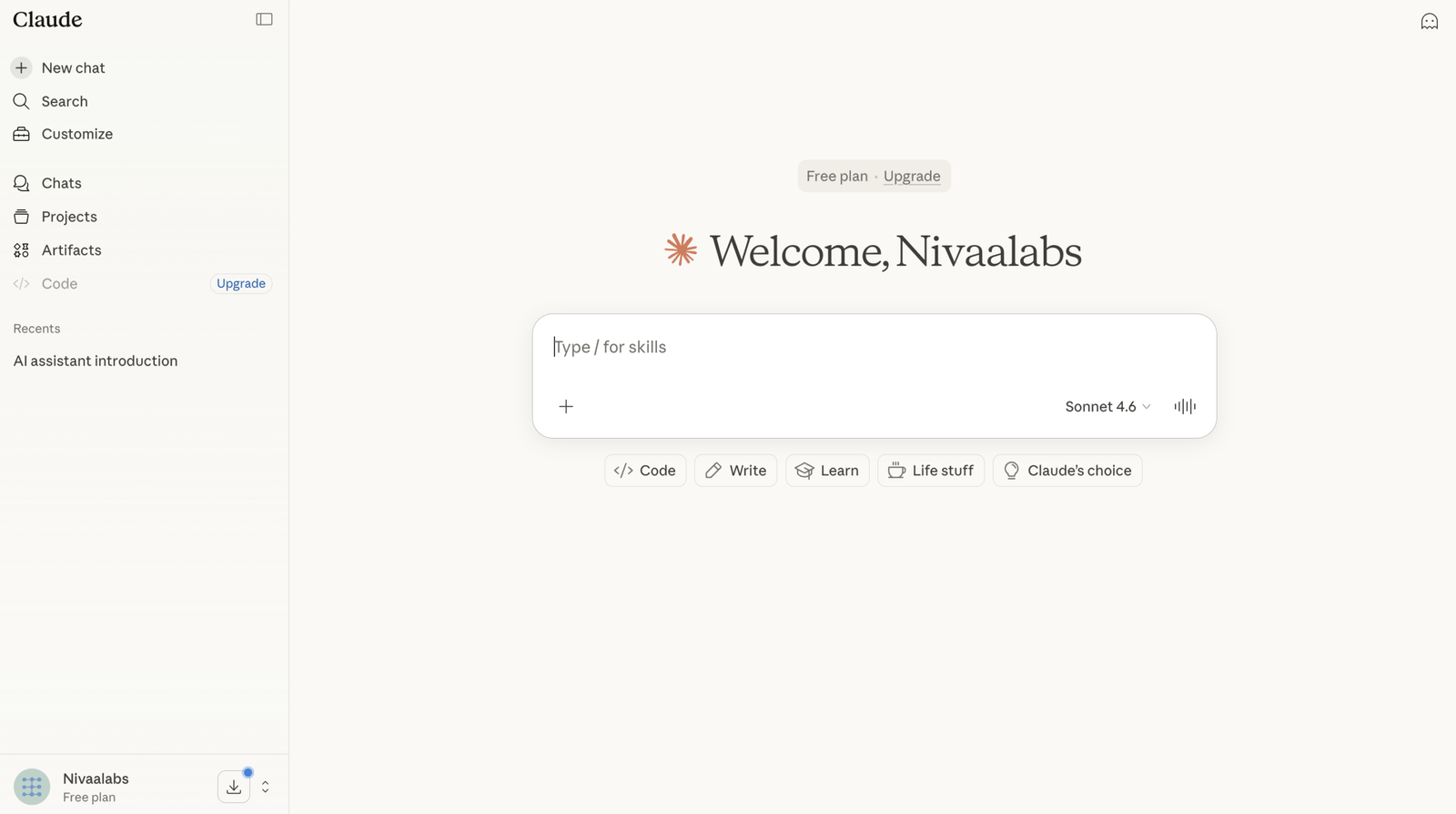

I Used Claude Free for 3 Months Instead of ChatGPT and Gemini — Here’s What Actually Happened
- The Context: Building NivaaLabs on a Free Plan
- What Each Free Tier Actually Gives You
- Writing & Content: Where Claude Pulled Ahead Immediately
- Coding & Debugging: The Real Daily Workflow
- Research: Where Gemini Had a Clear Edge
- Hitting the Limits: The Most Frustrating Part
- The ChatGPT Problem Nobody Talks About
- Building the Make.com Pipeline: Which AI Helped Most
- How I Switched Between All Three in a Single Day
- When the Free Tier Stopped Being Enough
- Honest Verdicts by Task Type
- FAQ
⚡ 3-Month Quick Summary
The Context: Building NivaaLabs on a Free Plan
When I started NivaaLabs, I had a specific constraint: I wasn’t going to pay for AI subscriptions until the site was generating enough to justify it. That meant three months on free tiers across Claude, ChatGPT, and Gemini — rotating between them based on what each one was best at, managing daily limits carefully, and learning through daily use which tool actually delivered for real work vs which one sounded impressive in benchmark posts.
The work involved was not trivial. I was writing long-form AI tool reviews (2,000–4,000 words each), building a Make.com content automation pipeline with Gemini and Tavily, designing article HTML templates from scratch, debugging WordPress JavaScript snippets, and doing competitive research to identify what topics to cover. I needed AI for all of it — writing, coding, research, and structured thinking. Three free tiers. Real deadlines. Real constraints.
What follows is an honest account of what I actually found — not a benchmark comparison, but a workflow-level report from someone who built something real on these tools at the $0 level.
What Each Free Tier Actually Gives You in 2026
Before getting into the experience, it helps to understand what you’re actually getting on each free plan — because the gaps are significant and they directly determine which tools are viable for sustained work.
Free Tier Comparison — Claude vs ChatGPT vs Gemini (April 2026)
| Feature | Claude Free | ChatGPT Free | Gemini Free |
|---|---|---|---|
| Model | Claude Sonnet 4.6 | GPT-5.3 Instant | Gemini 3.1 Flash (auto) |
| Message limit | Daily cap (unspecified — resets in 8–12hrs) | 10 msgs per 5 hours | Generous — rarely hit in practice |
| Context window | 200K tokens | ~32K (standard) | 1M tokens (!) via AI Studio |
| Web search | ❌ No | ⚠️ Limited | ✅ Yes — real-time |
| Image generation | ❌ No | ✅ Yes (limited) | ✅ Yes (limited) |
| File uploads | ✅ Yes | ✅ Yes (limited) | ✅ Yes |
| Code execution | ✅ Yes (artifacts) | ✅ Yes (limited) | ✅ Yes |
| Projects / memory | ✅ Projects (limited) | ✅ Memory (limited) | ❌ No persistent memory free |
| Best for free | Writing + coding + long docs | Feature exploration + short tasks | Research + current info + long context |
The headline numbers tell one story. The actual daily experience tells another. Here’s what three months of real work taught me.
Writing & Content: Where Claude Pulled Ahead Immediately
The first thing I noticed about Claude — within the first week — was a quality I struggle to describe technically but felt immediately: the output sounds like a person wrote it. Not like a person prompted an AI to write it. When I asked Claude to write the introduction for an AI tool review, it produced something I could paste directly. When I asked ChatGPT to do the same thing, I got a response I needed to rewrite. When I asked Gemini, I got bullet points.
This observation isn’t unique to me. In a side-by-side test across ten business writing tasks published in early 2026, the author noted: “Claude is the AI that sounds the least like an AI… It asks clarifying questions. It pushes back on bad ideas. It writes copy that doesn’t need as much editing.” That matched my experience exactly.
For NivaaLabs specifically, the writing quality difference compounded over time. I’m producing articles in a specific style — honest, structured, with segmented verdicts rather than declaring a single winner. Claude understood and maintained that style across a conversation better than either ChatGPT or Gemini. I could say “write this section in the same tone as the intro” and it would. ChatGPT would drift. Gemini would produce something technically correct but noticeably generic.
The 200K context window on Claude’s free tier is the other major writing advantage. For an article workflow where I’m uploading a reference article, a competitor’s piece, a keyword brief, and asking for a draft — all in one conversation — 200K tokens means nothing falls out of context. I never had to re-paste information. With ChatGPT free, I was constantly managing what was in context and what wasn’t. That friction adds up across dozens of articles.
For anyone building a content site, a blog, or doing professional writing work, Claude free is the clearest choice. I built the AI content generators comparison almost entirely in Claude conversations, using Projects to maintain brand voice context across sessions.
Coding & Debugging: The Real Daily Workflow
The coding use case was where I expected Claude to shine based on its reputation — and it largely did, but with a specific caveat that took me a few weeks to internalise.
Claude free is excellent for reasoning about code. When I was building the sticky TOC JavaScript for NivaaLabs — a snippet that had to detect when a specific in-article div scrolled past the viewport, activate a fixed-position TOC, filter footer headings using .closest() DOM traversal, and coexist with another search overlay snippet — Claude worked through the problem systematically. It identified why the immediate initTOC() call wasn’t finding headings (content lives in custom HTML blocks, not .entry-content), suggested the delayed init pattern (immediate + 800ms + 2000ms), and produced clean working code.
ChatGPT gave me shorter, faster answers — but they were often incomplete for the complexity of the problem. Gemini gave me technically accurate code but without the explanatory reasoning that helped me understand what was wrong and why. For debugging specifically — where understanding matters as much as fixing — Claude’s reasoning style is genuinely better.
The caveat: I hit the daily limit more often doing coding sessions than writing sessions. A deep debugging conversation with multiple iterations eats through the free cap fast. On the days I hit the Claude limit, I would switch to ChatGPT for simpler tasks and save Claude for the next day’s harder problems. This is the real free-tier workflow: not one tool, but a rotation managed around daily caps.
For developers evaluating AI coding tools beyond the chat interface, my GitHub Copilot vs Code Llama comparison and the Best AI Coding Tools 2026 roundup cover the full picture — including Claude Code, Cursor 3, and Windsurf, which operate differently from the chat interface I was using on the free plan.
Research: Where Gemini Had a Clear Edge
This is the part of my honest assessment that surprised me, because I went in expecting Claude to win everywhere. It didn’t win on research. Gemini did.
The reason is simple and structural: Gemini’s free tier has real-time web access. Claude’s free tier does not. When I needed to find what pricing Jasper was currently charging, whether Writesonic’s GEO feature was still behind a paywall, or what the latest SWE-bench scores were — I had to use Gemini or switch to a search engine and manually feed Claude the results.
Gemini’s 1M token context window (available via AI Studio, which is free) was also genuinely useful for research tasks involving long documents. I would paste a 50-page PDF of an AI tool’s documentation and ask Gemini to extract specific claims. It handled this without complaint. Claude free handles large documents well too — but Gemini’s AI Studio free tier is arguably the most technically impressive free AI research tool available if you’re comfortable with the slightly less polished interface.
The limitation of Gemini for my workflow was depth. For strategy documents, content briefs, and work requiring a complex set of maintained instructions, Gemini felt shallower than Claude. One practitioner building an SEO agency put it well: “Where Gemini falls behind Claude is in depth. For strategy documents or work that requires maintaining a complex set of instructions across conversations, Claude’s Project system is still ahead.”
My research workflow settled into: Gemini for finding current facts and prices, Claude for synthesising and structuring what I found into actual content. The two tools complemented each other rather than competing directly.
Hitting the Limits: The Most Frustrating Part of Three Months
Every free-tier AI tool has limits. The difference between the three tools is not just where the limit is — it’s how it feels when you hit it and what you can do next.
Claude’s limit: You get a message saying you’ve used up your messages for now, with no specific reset time shown. Community reports suggest 8–12 hours depending on usage weight. The frustrating part is the opacity — you don’t know if you’ll have access in 2 hours or 10. I learned to do my heaviest Claude work in the morning and switch to Gemini or ChatGPT in the afternoon when I suspected I was near the cap.
ChatGPT’s limit: 10 messages per 5 hours on GPT-5.3. This is brutal for any sustained workflow. A serious debugging session or a thorough article draft can easily consume 10 exchanges before you’ve made meaningful progress. The 5-hour lockout after that is long enough to destroy a working session. I found ChatGPT free essentially unusable for serious work on a daily basis — useful for quick lookups and one-shot tasks, but not for anything iterative.
Gemini’s limit: The most forgiving of the three for everyday use. The standard Gemini free tier rarely hit limits in my normal workflow. AI Studio has a 15 requests-per-minute cap and 1,500 requests per day, which as a solo developer I never came close to touching. For research-heavy work, Gemini’s free tier is the most reliably available option.
The ChatGPT Problem Nobody Talks About
Something shifted with ChatGPT between when I started NivaaLabs and the point where I stopped relying on it for content work. The outputs got shorter, more heavily bullet-pointed, and less contextually aware. A practitioner building AI workflows for a national newsroom described it precisely: “ChatGPT’s output quality has degraded. The responses I get now are short, heavily bullet-based, and lack the deeper context that business work requires. Unless I invest significant effort in very detailed prompting — specifying tone, structure, depth, and format in granular detail — the default output is surface-level.”
That matched my experience. Using ChatGPT for a first draft meant producing something I needed to substantially rewrite before it could go anywhere near publication. The tool got better at specific narrow tasks (image generation, voice, code interpreter) while the core writing quality got more generic. For NivaaLabs — where the content needs to be opinionated, structured, and readable — ChatGPT free was a distant third by month two.
The one area where ChatGPT free genuinely led the others was breadth of features. Voice mode, image generation, Canvas for document editing, code interpreter with Python execution — no other free tier comes close on sheer feature count. If you need to generate an image, transcribe audio, or run a Python script, ChatGPT is the only free-tier option. I used it for these tasks specifically. For writing and coding, I went elsewhere.
Building the Make.com Pipeline: Which AI Helped Most
The most technically complex thing I did in this three-month period was building the Make.com content automation pipeline — a multi-step automation that uses Gemini (via API) and Tavily for research, generates structured HTML article output with metadata blocks, creates DALL-E 3 featured images, uploads them to WordPress, and sets RankMath SEO metadata via a PATCH call.
Building something like this requires understanding JSON module connections in Make.com (including cross-referencing parser outputs by module ID without physical connector lines), structuring complex Gemini prompts with multiple output blocks, and debugging REST API interactions with WordPress. This is not standard documentation-lookup territory — it’s problem-solving across multiple systems simultaneously.
Claude was the most useful tool for this work. Not because it had knowledge of my specific Make.com setup, but because of how it reasoned about the problem. When I described the JSON structure I needed and asked why module 22 wasn’t receiving the correct output, Claude walked through the likely points of failure methodically, explained the Make.com data referencing pattern, and helped me arrive at a working solution. Gemini gave me technically accurate answers but with less of the diagnostic reasoning that helped me understand the root cause. ChatGPT occasionally hallucinated module-specific behaviour that didn’t match how Make.com actually worked.
The pattern held: for anything requiring sustained, multi-step reasoning across a complex system — Claude. For current reference data and documentation lookups — Gemini. For quick one-shot tasks where I just needed something functional — ChatGPT if the limit allowed.

How I Switched Between All Three in a Single Day
By month two, I had a fairly consistent daily rotation. Here is what a typical heavy workday actually looked like:
Morning (highest Claude availability, fresh daily cap): Long-form article writing, complex debugging sessions, any task requiring multi-step reasoning or sustained context. This is when I used Claude hardest and got the most out of the free tier before hitting limits.
Mid-day (Claude often approaching limit): Research-heavy tasks, pricing lookups, finding recent news or tool updates. This is where Gemini took over — web access for current information, AI Studio for uploading long documents. I’d use Gemini to build the factual foundation and copy the outputs into Claude conversations when I picked them back up.
Afternoon (Claude limit hit or near): Quick tasks, image generation, checking if a code snippet worked, voice questions on the phone. ChatGPT free for these short-context tasks where its 10-message limit was less likely to bite me. Gemini continued for any research that needed web access.
Evening (Claude partially reset for some users): Return to Claude for any writing or debugging I needed to finish. Not always available, but often enough to wrap up sessions started in the morning.
It sounds complicated, but it became natural quickly. The key insight is that these three tools have genuinely different strengths, and using all three at $0 gives you more total capability than any single one of them does.
When the Free Tier Stopped Being Enough
The trigger for upgrading was not a single moment — it was a gradual compounding of limit frustrations. By month three I was producing content daily, the Make.com pipeline was running, and I was hitting Claude’s daily cap before noon on busy days. I’d finish a strong article draft in the morning and come back after lunch to find myself locked out at the exact point I needed to do revisions.
The calculation for Claude Pro at $20/month ($17/month with annual billing) became straightforward: I was losing 2–3 hours per day to limit management and tool-switching. At any reasonable valuation of that time, $20/month is not a hard decision. The upgrade gave me access to Claude Sonnet 4.6 with significantly higher usage limits and the beginnings of Opus 4.6 access on certain tasks.
For those evaluating the upgrade path, our Claude Free vs Pro vs Max comparison covers the full plan breakdown with real usage limits side by side. If you’re building something serious and hitting daily limits regularly, Pro is worth it. If you’re using Claude occasionally, the free tier is genuinely good.
I did not upgrade ChatGPT or Gemini. ChatGPT’s free tier limitations were so severe that by the time I was willing to pay, I was already so committed to Claude that paying for ChatGPT Plus felt redundant. Gemini’s free tier was generous enough for my research use case that I didn’t feel the friction that would have pushed me to pay.
Honest Verdicts by Task Type
✍️ Long-form writing and content creation: Claude Free — not close. The output quality requires less editing, the style is more natural, and the 200K context window means you can upload reference material without managing what’s in context. For anyone building a content site, blog, or doing professional writing, Claude is the default. See our AI content generators comparison for how it compares to dedicated writing tools built on top of these models.
🔍 Research and current information: Gemini Free — specifically because of real-time web access on the free tier. For pricing research, recent tool updates, current AI news, and anything where having yesterday’s information matters, Gemini’s web access is a categorical advantage over Claude’s lack of it on the free plan. If you’re primarily doing research work, Gemini AI Studio’s free tier with 1M context and 1,500 daily requests is extraordinary value.
💻 Coding and debugging: Claude Free — particularly for complex, multi-step problems requiring diagnostic reasoning across a codebase. Claude’s ability to maintain context across a long debugging conversation and explain why something isn’t working is better than the other free tiers. The daily limit burns faster in coding sessions, so prioritise your hardest coding problems for mornings when the cap is fresh.
🖼️ Image generation and voice: ChatGPT Free — it’s the only free-tier option for both. Claude doesn’t generate images on any plan yet (though ChatGPT Images 2.0 review covers the state of AI image generation). Gemini offers limited image generation but ChatGPT’s implementation is more accessible on the free tier.
📄 Long document analysis: Gemini Free (via AI Studio) — the 1M context window via AI Studio is unmatched on the free tier. For analysing PDFs, long reports, or entire codebases in a single context, AI Studio handles scales that Claude free can’t match on the free plan. Claude’s 200K free context is still strong for most documents.
🤖 Agentic and automated workflows (Make.com, Zapier, pipelines): Claude Free (reasoning) + Gemini Free (research data) — building automated content pipelines benefits from Claude’s superior reasoning about complex multi-step systems, combined with Gemini’s web access to pull current information into those pipelines. This is the combination I settled on for the NivaaLabs Make.com content pipeline.
💡 Learning a new tool or concept quickly: Claude Free — for learning something complex where you need a patient, reasoned explanation that builds understanding rather than just providing an answer, Claude is the best teacher of the three. Its tendency to show reasoning rather than just conclusions makes explanations genuinely educational rather than answer-dispensing.
🚀 Start With Claude Free — Then Evaluate
My honest recommendation for someone starting today: begin with Claude free as your primary tool. Add Gemini free for research and current information. Use ChatGPT free for image generation and voice tasks. Upgrade Claude to Pro when you consistently hit the daily cap. Don’t pay for ChatGPT until you have a specific feature need that Claude can’t meet.
Try Claude Free → Try Gemini Free → Try ChatGPT Free →✅ Why I Made Claude My Primary Tool
- Writing quality that requires minimal editing — sounds human
- 200K context on free tier — upload everything without managing context
- Best at multi-step reasoning and explaining complex problems
- Projects feature maintains brand voice and instructions across sessions
- Doesn’t hallucinate tool-specific behavior the way ChatGPT sometimes does
- Pushes back on bad ideas rather than just agreeing — actually useful
- Instruction following is precise and consistent across a long conversation
⚠️ What Made Me Keep Gemini and ChatGPT Around
- Claude free has no web access — Gemini is essential for current information
- Claude’s daily limit resets are opaque — frustrating during heavy sessions
- ChatGPT’s image generation fills a genuine gap Claude can’t
- Gemini AI Studio’s 1M context window handles scales Claude free can’t
- ChatGPT voice mode is genuinely useful for quick mobile questions
- Having three options means you’re never completely blocked by one tool’s limit
Three months on the free tier taught me something I wouldn’t have learned from benchmarks: the right question isn’t “which AI is best?” It’s “which AI is best for which specific task in my actual workflow?” Claude for writing and reasoning. Gemini for research and current data. ChatGPT for features that neither offers. Used together at $0, they cover more ground than any single paid subscription. And if you can only pay for one, pay for Claude Pro — the quality-per-dollar ratio is the best of the three.
For the model-level comparison now that all three have launched flagship updates in 2026, our GPT-5.4 vs Claude Opus 4.6 and the new GPT-5.5 vs Claude Opus 4.6 comparisons cover the underlying models behind these tools at their paid-tier best. And if you’re thinking about the broader AI industry context for why these tools are where they are, our State of AI 2026 article pulls together the Stanford AI Index findings and the full market picture.
❓ Frequently Asked Questions
Is Claude free actually good?
Yes — genuinely. Claude Sonnet 4.6 is a capable mid-tier model that produces writing and reasoning quality significantly above what you’d expect from a free service. The limitation is the daily message cap, not the model quality. For writing, coding, and reasoning tasks within a session, Claude free is the best free AI available for most use cases.
What is the daily message limit on Claude free?
Anthropic does not publish a specific number. Based on community reports and my own experience, the limit allows for meaningful daily use — multiple conversations or one extended session — before you hit it. Heavy users doing multiple long coding or writing sessions in a day will hit it. Light to moderate users typically don’t. The reset window is approximately 8–12 hours.
Is Claude better than ChatGPT for writing?
In my three months of daily use: yes, clearly and consistently. Claude’s writing output requires less editing, sounds more natural, and maintains style and tone better across a long conversation. ChatGPT’s writing quality has become more generic and bullet-heavy at default settings. For professional writing work, Claude is the stronger choice on both the free and paid tiers.
Should I use Gemini, Claude, or ChatGPT for free?
Use all three — they have genuinely complementary strengths. Claude for writing and coding. Gemini for research and current information. ChatGPT for image generation and voice tasks. The combination at $0 covers more workflow ground than any single tool does, and the limits on each force a natural rotation that ends up being efficient.
Is Claude Pro worth $20/month?
If you’re consistently hitting the free-tier daily cap, yes. The upgrade gives significantly higher usage limits and access to better model tiers for harder tasks. For casual users, the free tier is generous enough. For anyone building something — content sites, coding projects, automated workflows — the $20/month is a straightforward decision within a few months of serious use.
Does Claude free have web access?
No. Claude free (and Claude Pro) does not have native web access in the same way Gemini does. Claude can search the web if you enable the web search tool in Claude.ai settings, but it is not on by default on the free plan and is less integrated than Gemini’s real-time web access. This is the clearest practical limitation of Claude for research-heavy workflows.
What is Claude best at compared to Gemini and ChatGPT?
Based on three months of daily use: long-form writing quality, complex multi-step reasoning and debugging, maintaining context and instructions across a long conversation, and producing outputs that require minimal editing. Gemini leads on real-time research. ChatGPT leads on feature breadth (voice, image generation, tools). Claude leads on the quality of what it produces with text.
Latest Articles
Browse our comprehensive AI tool reviews and productivity guides
Claude Fable 5 Review: Anthropic’s Most Powerful Public AI Model (2026)
Claude Fable 5 Review: Anthropic’s Most Powerful Public AI Model (2026)
Anthropic launched Claude Fable 5 on June 9, 2026 — their first Mythos-class model available to the general public. We break down its capabilities, safeguards, pricing, and how it stacks up against the competition.
Claude for Small Business Review (2026)
Claude for Small Business Review (2026)
Anthropic's Claude for Small Business ships with 15 ready-to-run AI workflows inside tools like QuickBooks, PayPal, HubSpot, and Canva. We break down what it does, who it's for, and whether it's worth your time.
Generative Engine Optimization (GEO) 2026: How to Get Your Content Cited by...
Generative Engine Optimization (GEO) 2026: How to Get Your Content Cited by ChatGPT, Perplexity & Google AI
Traditional SEO gets you ranked. GEO gets you cited. With 60% of searches now ending without a click and AI Overviews slashing organic CTR by 58%, getting your content into AI answers is the new growth channel. Here's the complete playbook for 2026.
Perplexity Projects Explained: New Workflow System
Perplexity Projects Explained: New Workflow System
Perplexity Projects are changing AI research with a new workflow system that enhances productivity and streamlines complex tasks.
Bika.ai Review: No-Code Agentic Database for AI
Bika.ai Review: No-Code Agentic Database for AI
Is Bika.ai the no-code agentic database solution you've been searching for? This review breaks down its features, pricing, and potential.
Gumloop Review 2026: Drag-and-Drop AI for Founders
Gumloop Review 2026: Drag-and-Drop AI for Founders
A comprehensive Gumloop review for non-technical founders, evaluating its drag-and-drop AI capabilities, pricing, and suitability for business automation.
LangGraph vs AutoGen: Advanced State Management 2026
LangGraph vs AutoGen: Advanced State Management 2026
Compare LangGraph and AutoGen for advanced AI agent state management in 2026, detailing benchmarks, pricing, and real-world application differences.
Commonstack AI: Intelligent Model Routing Guide
Commonstack AI: Intelligent Model Routing Guide
Discover how Commonstack AI optimizes LLM usage with intelligent model routing for cost savings.
Clawbot AI Review 2026: Multi-Agent Orchestration Compared
Clawbot AI Review 2026: Multi-Agent Orchestration Compared
An in-depth look at Clawbot AI versus CrewAI for multi-agent orchestration, examining their capabilities, pricing, and ideal use cases.
Claude Code vs n8n: Connecting AI for Auto-Healing Pipelines
Claude Code vs n8n: Connecting AI for Auto-Healing Pipelines
Explore Claude Code vs n8n for agentic workflows, detailing their strengths in code automation and business process integration.
DeepSeek V4 Review 2026: The Largest Open-Weight Model Ever — Pro, Flash,...
DeepSeek V4 Review 2026: The Largest Open-Weight Model Ever — Pro, Flash, Benchmarks & Pricing
DeepSeek V4 Review 2026: The Largest Open-Weight Model Ever — and the Biggest Disruption to AI Pricing
Gemini 3.5 Ultra Review: Google’s 10-Million Token Sovereign — The End of...
Gemini 3.5 Ultra Review: Google’s 10-Million Token Sovereign — The End of the Context Wars? (May 2026)
Gemini 3.5 Ultra completed global rollout across all Google One AI Premium accounts and Enterprise API tiers. Benchmark data sourced from Artificial Analysis v4.2, Google DeepMind Technical Reports, and independent stress testing from NivaaLabs.