
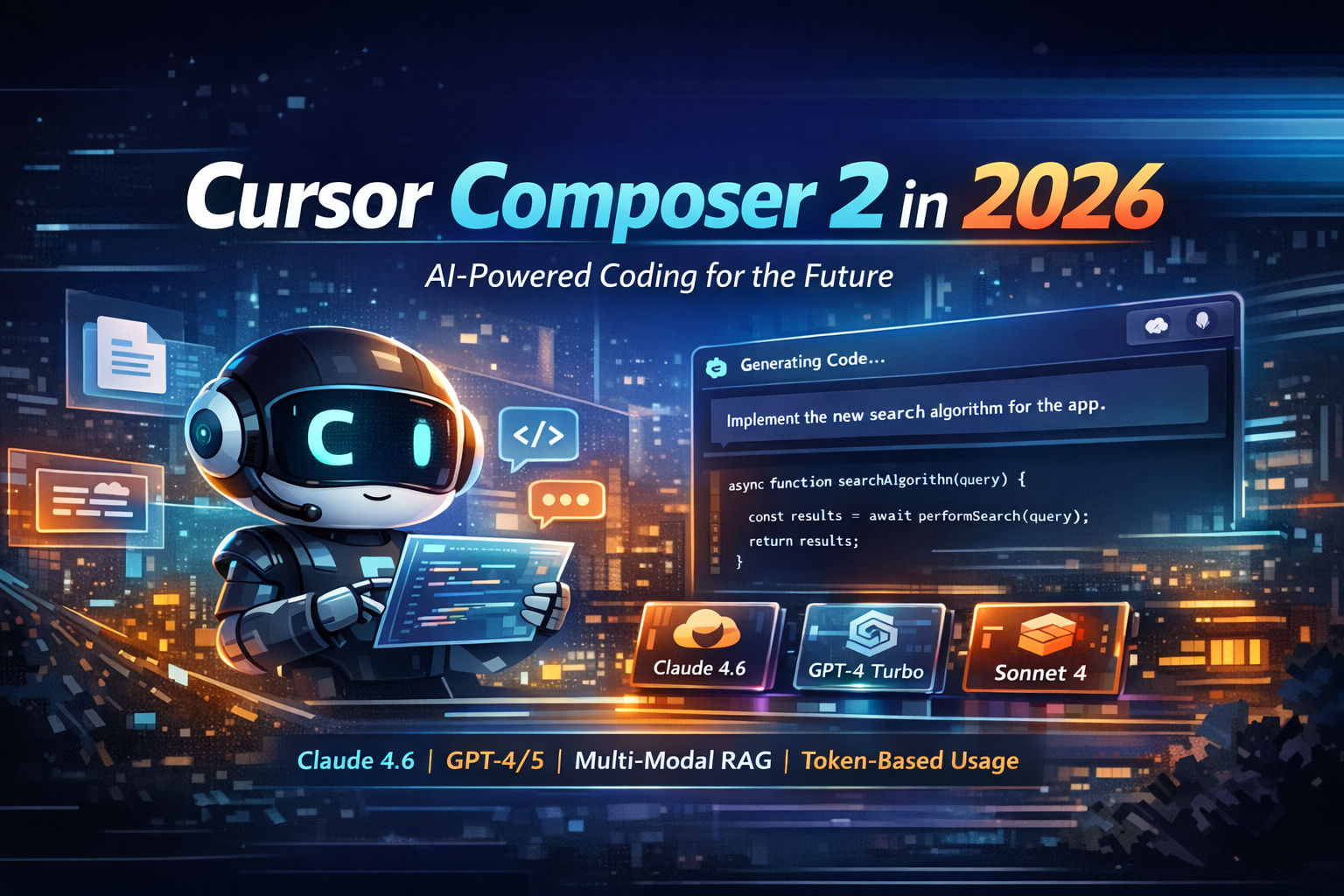

Decoding Cursor Composer 2 in 2026: The Ultimate AI Coding Model for Developers?
📑 Table of Contents
🎯 Quick Verdict
Cursor Composer 2 emerges as a highly specialized AI coding model optimized for agentic multi-file editing, promising to transform developer workflows with its speed and contextual awareness. It reliably manages coordinated changes across complex projects, significantly reducing the chaos often associated with large-scale refactors and module generations.
The landscape of AI-powered development tools is evolving at an unprecedented pace, with new models and assistants emerging that promise to redefine how engineers interact with code. Among these innovations, Cursor Composer 2 has rapidly captured significant attention, sparking a wave of discussion across developer communities and tech media. This review delves into its core capabilities, evaluates its practical impact, and assesses whether it truly stands out as a leading AI coding model in 2026, building on early developer enthusiasm for its multi-file agentic workflow.
Developers are no longer just seeking simple code completion; the demand is for intelligent collaborators that can manage complex project-wide changes, maintain consistency, and accelerate the entire development cycle. This article will provide a comprehensive examination of Composer 2, contrasting its unique strengths against the broader capabilities of flagship AI coding models, and offering insights into its features, pricing structure, real-world use cases, and overall value proposition for modern software development teams.
⚡ Cursor Composer 2 — NivaaLabs Category Scores (2026)
Overview
The advent of sophisticated AI coding models marks a significant shift in software development, moving beyond simple autocomplete to intelligent agentic workflows. In 2026, developers are increasingly seeking tools that can not only generate code but also understand complex project contexts, orchestrate multi-file changes, and integrate seamlessly into their daily coding loops. This demand has positioned Cursor Composer 2 as a notable contender, optimized specifically for these advanced functionalities within the Cursor editor.
Our evaluation focuses on how these next-generation developer tools address critical pain points such as managing large-scale refactors, improving code consistency, and accelerating feature development. Cursor Composer 2 is examined here for its ability to deliver on these promises, setting a new bar for applied coding throughput. This review is tailored for developers, tech leads, and organizations aiming to enhance their engineering efficiency and code quality through cutting-edge AI assistance.
Cursor Composer 2
Cursor Composer 2 is Cursor’s specialized AI coding model, purpose-built and optimized for its unique agentic editing workflow. Unlike general-purpose large language models, it’s fine-tuned for understanding repository context, proposing accurate multi-file edits, and applying patches efficiently, all while maintaining developer flow. It addresses core challenges in coordinated changes across projects, aiming to make complex refactoring and module generation reliable and fast enough for daily use. This model is best known for its tight integration with the Cursor editor and its focus on practical, actionable code changes.
Flagship Coding Models (General)
Flagship coding models, such as advanced versions of Claude or GPT, represent the cutting edge in broad AI reasoning and code generation capabilities. While highly versatile, these generalist models excel in raw breadth—handling architectural discussions, complex bug analysis, and generating diverse solution paths across various non-coding tasks. They offer powerful understanding and generation, often with tool-use capabilities, but may lack the deep, specific optimization for integrated, multi-file agentic editing workflows that a purpose-built model like Composer 2 aims to provide within a dedicated IDE context. Many teams often use a combination of these robust solutions for different aspects of their development pipeline, often alongside tools like GitHub Copilot vs Code Llama for more focused assistance.
Ultimately, the performance of these advanced coding companions is not merely about raw intelligence, but how effectively they can integrate into and enhance a developer’s existing environment. The distinction often lies in whether a model is a generic “best model for everything” or a specialized tool designed to excel in a particular, high-leverage workflow, such as the agentic editing offered by Composer 2. This targeted optimization is precisely what makes solutions like Cursor Composer 2 a compelling proposition for teams looking to maximize their applied coding throughput.
Cursor Composer 2: Key Features
Understanding the capabilities of modern AI coding assistants requires looking beyond basic code generation. The practical features that truly matter for software development teams are those that reduce risk, increase throughput, and integrate seamlessly into established workflows. Cursor Composer 2 distinguishes itself through several key attributes designed specifically for complex coding tasks.
Repo-Aware Multi-File Editing
Cursor Composer 2 is engineered to perform coordinated changes across multiple files within a repository, a common stumbling block for many generalist models. This feature allows the AI to propose comprehensive diffs, update type definitions, adjust usage sites, and ensure consistency during refactors, migrations, or feature additions. It operates with an understanding of the entire project context, recognizing dependencies and implications across modules. For example, if a core function’s signature changes, Composer 2 can identify all call sites, update imports, and modify related tests to reflect the new structure, significantly reducing manual corrections and preventing bugs. This is particularly useful when undertaking large-scale architectural refactors, such as renaming a domain concept or splitting a monolithic module into smaller, more manageable components, ensuring that the public interface remains intact and all internal references are correctly updated.
Tighter Plan-to-Patch Workflow
The Cursor Composer workflow emphasizes a structured approach: plan, patch, then review. Composer 2 enhances this by providing highly actionable plans that directly map to tangible code edits, moving beyond generic bullet points to specific, executable steps. This tighter integration means the generated plan isn’t just a conceptual outline but a reliable blueprint for the actual code changes the model will propose. For instance, if a developer requests to add an authentication layer, Composer 2 might first generate a plan detailing which middleware files to modify, new routes to create, existing endpoints to secure, and how tests and documentation should be updated. This systematic approach fosters trust, as teams can clearly see and approve the intended changes before they are applied, making multi-file modifications cheaper and inherently safer by providing transparency and predictability.
Stronger Grounding Behavior
One of the persistent challenges with AI models is hallucination—confidently generating incorrect or irrelevant code. Cursor Composer 2 exhibits stronger “grounding” behavior, meaning it is more adept at staying contextually accurate within the user’s repository, reducing the frequency of editing wrong files or inventing non-existent APIs. While no AI is completely free of errors, Composer 2’s mistakes tend to be easier to identify and correct during review, rather than insidious, hard-to-find logical flaws. This behavior is crucial when integrating with existing error handling conventions or adhering to specific lint rules. For example, if a developer asks it to use an internal helper function, Composer 2 is more likely to correctly locate and apply the existing function from the codebase rather than inventing a new, similar function that breaks consistency. This reliability minimizes the overall interaction cost and review burden, making it a more dependable collaborator for daily engineering tasks.
Optimized for Agentic Speed and Editor Integration
The speed at which an AI assistant operates is paramount for maintaining developer flow, especially in agentic coding loops where multiple steps are involved. Composer 2 is optimized for rapid iteration, ensuring that the “agent loop” remains engaging rather than frustratingly slow. This performance, coupled with its tight integration into the Cursor editor, makes it feel like an inherent part of the development environment rather than an external tool. The model is specifically tuned against known interaction patterns—partial context requests, patch application, repository navigation, and handling follow-up questions or tool calls. This deep integration allows the model to act as a seamless collaborator, understanding the nuances and costs associated with changing code within an IDE. For instance, developers report that Composer 2’s quick response times allow them to stay focused on the task at hand, making incremental refactors, adding API endpoints, or cleaning up type definitions feel like a natural extension of their own thought process, rather than a waiting game.
Pricing Comparison
Evaluating the cost of Cursor Composer 2 isn’t as straightforward as a standalone API price, as its access is typically bundled with Cursor’s product subscriptions. This model option is integrated into Cursor’s agentic editing environment, meaning teams will factor its cost into their overall Cursor subscription plan. The exact details—including usage limits, “fast vs. slow” queues, and whether Composer 2 is gated by specific plan tiers—depend on the chosen Cursor subscription. Therefore, the financial assessment extends beyond a simple per-token cost to a broader consideration of its value within the entire development workflow.
For teams, the real comparison involves looking at the comprehensive Cursor subscription cost per developer versus their existing tooling spend. This includes other AI coding assistants, separate chat model subscriptions, and various IDE extensions. The potential for Cursor Composer 2 to reduce time spent on code review preparation, complex refactors, test writing, and framework migrations directly impacts its return on investment (ROI). The perceived value is not just in writing code, but in making multi-file changes demonstrably cheaper and safer, thereby mitigating the hidden costs associated with “bad patch” incidents.
While Cursor has various tiers, it’s generally positioned as a premium AI-native IDE. Access to its advanced models like Composer 2 usually corresponds to higher-tier paid plans that unlock enhanced capabilities and performance. In contrast, many flagship coding models are often available through their own API subscriptions (e.g., OpenAI’s GPT models, Anthropic’s Claude) which can be integrated into various IDEs or custom workflows, or via dedicated products like GitHub Copilot with its own subscription model (typically around $10-19/month per user for individuals/teams). The advantage of Composer 2’s bundled approach is seamless integration and optimization, but it means developers commit to the Cursor ecosystem entirely to leverage its full potential.
When considering the ROI, a team should quantify how many engineering hours per week could be saved by a tool that reliably handles complex, multi-file changes. A single “bad patch” incident—leading to downtime, debugging, or critical errors—can easily outweigh the monthly cost of an advanced AI assistant. Cursor Composer 2’s value proposition is centered on making those critical, high-risk changes more predictable and less prone to costly human errors. This makes it particularly attractive for fast-moving startup teams or tech leads seeking to improve consistency and reduce tedious multi-file edits, despite not being a “free” standalone tool.
| Plan | Cursor Composer 2 | Flagship Coding Models (General) |
|---|---|---|
| Free Tier | Access is tied to Cursor’s overall product; generally part of paid plans for full performance. Limited free use of Cursor itself might exist, but not necessarily Composer 2. | Many providers offer free tiers with limited usage (e.g., lower token limits, older models), or trial periods for advanced models. Some open-source models are free to self-host. |
| Paid From | Bundled with Cursor subscriptions, pricing typically starts from ~$19-39/month per developer for advanced features, scaling with usage and team size. Specific Composer 2 usage incurs tokens/credits. | Varies widely; ~$10-30/month per user for specific tools (e.g., GitHub Copilot) or pay-as-you-go API access (e.g., GPT-4, Claude 3) where costs scale with token usage, potentially higher for large teams. |
| Best For | Teams prioritizing a deeply integrated, agentic multi-file editing workflow within a dedicated AI-native IDE for complex refactors and consistent code changes. | Developers needing broad reasoning capabilities, general code generation, architecture discussions, or multimodal AI features, often integrated via APIs into various environments. |
Ultimately, the long-term cost-effectiveness of Cursor Composer 2 hinges on its ability to deliver tangible time savings and reduce costly errors. For organizations where developer productivity is a key bottleneck and where complex, coordinated code changes are frequent, the investment in a platform offering such an integrated and specialized AI assistant could easily justify the subscription cost. It shifts the value proposition from raw code generation to improved workflow efficiency and reduced operational risk, making it a strategic rather than merely a tactical purchase.
Best Use Cases
The practical application of AI coding assistants is where their true value becomes apparent. These tools are designed to solve specific pain points, streamlining workflows and accelerating development cycles. Here are some key scenarios where specialized solutions like Cursor Composer 2 excel, along with generic AI coding models’ strengths.
Use Case 1: Complex Multi-File Refactoring
Problem: A large codebase requires renaming a core domain concept, which impacts dozens of files, including type definitions, function calls, and associated tests. Manually tracking and updating every instance is prone to errors, leads to broken imports, and consumes significant developer time. Solution: Use Cursor Composer 2 to solve this because its repo-aware, multi-file editing capabilities are specifically tuned for such tasks. A developer can prompt Composer 2 to “Rename ‘Customer’ to ‘Client’ across the entire project, updating all relevant types, variables, and method calls.” The tool then generates a coordinated patch across all affected files, ensuring imports are consistent and logic remains intact. Outcome: The refactor is completed rapidly and with high coherence, drastically reducing the number of broken builds and follow-up fixes typically required. Developers save hours of tedious manual work and can focus on higher-level problem-solving, confident that the changes are globally consistent.
Use Case 2: Accelerating Feature Development Across Stack Layers
Problem: Implementing a new feature, such as a user profile update API, requires changes across the backend (API endpoint, database schema), frontend (UI components, API calls), and corresponding unit/integration tests. Coordinating these changes to ensure they all work together is time-consuming and often involves context switching. Solution: Cursor Composer 2 is ideal here due to its tighter plan-to-patch loop and deep editor integration. A prompt like “Implement a user profile update endpoint with fields X, Y, Z, including database schema migration, a new React form component, and add unit tests for the API” can leverage Composer 2’s ability to create a holistic plan and execute changes across multiple file types (e.g., Python backend, SQL schema, TypeScript/React frontend, Jest tests). Outcome: The entire feature, from conceptual plan to working code, is scaffolded and implemented significantly faster. The cohesive changes reduce integration issues between stack layers, and the automated test generation ensures immediate validation, accelerating the “idea to patch” cycle.
Use Case 3: Onboarding and Understanding Legacy Codebases
Problem: A new developer joins a team and needs to quickly understand a complex, poorly documented legacy codebase to make their first contribution. Navigating unfamiliar code, deciphering architectural patterns, and identifying safe modification points is a steep learning curve. Solution: A Flagship Coding Model (General), like a highly capable GPT or Claude variant integrated with a code explorer, can be used. A developer could ask “Explain the data flow for ‘X’ feature in this repository” or “Suggest areas for optimization in ‘Y’ module given its current performance bottlenecks.” While Cursor Composer 2 excels at *making* changes, a more generalist AI can provide broader architectural reasoning and explanation of existing, complex systems. For deeper analysis of various AI assistants, exploring resources like AI Coding Assistants can be beneficial. Outcome: The new developer gains a faster, more accurate understanding of the codebase’s structure and behavior, reducing onboarding time and allowing them to contribute meaningfully sooner. The generalist model helps in knowledge acquisition and high-level architectural reasoning.
Use Case 4: Rapid Prototyping and Boilerplate Generation
Problem: A developer needs to quickly set up boilerplate code for a new microservice, a database interaction layer, or a common design pattern (e.g., a factory pattern). Generating this repetitive but essential code manually is tedious and distracts from core logic development. Solution: Both Cursor Composer 2 and Flagship Coding Models (General) can handle this. For multi-file boilerplate that needs to be consistent across an existing project structure, Composer 2 can be more precise. For generating generic, single-file code blocks or exploring different patterns, a generalist model might offer more creative flexibility. Outcome: Developers can instantly generate robust boilerplate code, allowing them to focus on the unique business logic of their application rather than repetitive setup. This significantly speeds up the initial phase of new projects or features, enabling faster prototyping and iteration.
Use Case 5: Debugging and Error Resolution
Problem: A cryptic error message appears in the console, pointing to a line of code within a complex system that relies on several interdependent modules. Manually tracing the error’s origin and proposing a fix can be a time-consuming process. Solution: While Cursor Composer 2 is focused on making changes, its strong grounding and context awareness can assist. For instance, after receiving an error, you could prompt Composer 2, “This error is occurring on line X. Analyze the surrounding context and suggest a fix, ensuring consistency with existing error handling.” For more abstract reasoning or if the error spans external libraries, a Flagship Coding Model (General) with strong reasoning capabilities might be better for root cause analysis. Outcome: The AI helps narrow down potential causes, suggests relevant code modifications, and potentially even generates a patch. This reduces the time spent on debugging and ensures that fixes are integrated coherently with the existing codebase, speeding up the resolution of critical issues.
Pros and Cons
✅ Pros
- Cursor Composer 2: It excels at multi-file coordinated changes, reliably managing refactors and updates across an entire repository without introducing chaos. This dramatically reduces the manual effort and error rate associated with large-scale code modifications, ensuring project consistency.
- Flagship Coding Models (General): These models offer superior raw breadth and reasoning capabilities, making them excellent for complex architectural discussions, nuanced problem-solving, and generating diverse solution paths for non-coding tasks. They are highly versatile across many domains.
❌ Cons
- Cursor Composer 2: Its pricing is bundled with Cursor subscriptions, meaning it’s not a standalone API and requires commitment to the Cursor IDE ecosystem, which might not suit all existing developer setups or budget models. This could present a barrier for teams heavily invested in other IDEs.
- Flagship Coding Models (General): While powerful, these models often lack the deep, specific optimization for integrated, multi-file agentic editing workflows within an IDE, leading to more manual oversight and potential for inconsistencies during complex, repo-wide changes compared to purpose-built tools.
Final Verdict
In the rapidly evolving landscape of AI coding assistants, Cursor Composer 2 emerges not just as another model, but as a highly specialized tool engineered for a specific, high-leverage problem: intelligent, agentic multi-file editing. The Tavily research clearly highlights that its strength lies in its purpose-built nature, optimized for Cursor’s unique workflow of reading context, proposing safe edits, and applying patches efficiently while maintaining developer flow. This focus allows it to address critical pain points like managing coordinated changes across complex projects without breaking imports or duplicating logic, a common failing of more generic AI assistants.
For developers and teams consistently grappling with large refactors, significant feature additions touching multiple modules, or maintaining consistency across a sprawling codebase, Cursor Composer 2 presents a compelling solution. Its tighter “plan-to-patch” loop and stronger grounding behavior—which reduces hallucinations in-repo—translate directly into lower interaction costs and a reduced review burden. This makes it a workflow upgrade, turning what were once tedious and error-prone tasks into more manageable, AI-assisted operations. The model’s speed is also a crucial differentiator, ensuring that the agentic coding loop remains engaging and productive, rather than a frustrating waiting game.
However, it’s essential to acknowledge that while Cursor Composer 2 excels in “applied coding throughput” within its integrated environment, flagship coding models (like those from OpenAI or Anthropic, which can be compared in terms of their general reasoning capabilities, such as in ChatGPT vs Gemini) still hold an advantage in raw breadth. These generalist models are better suited for high-level architectural discussions, complex reasoning about abstract problems, or tasks that fall outside the immediate scope of code editing. Therefore, the choice between Composer 2 and other powerful solutions depends heavily on the specific needs of a team or individual developer.
Ultimately, Cursor Composer 2 shines brightest for startup teams pushing fast iterations, tech leads aiming to enhance consistency and reduce PR prep time, and code-intensive founders seeking a unified “idea to patch” environment. For those in highly regulated environments or working with extremely sensitive IP, caution is advised due to governance and audit requirements around AI-written code. But for the vast majority of software development, Composer 2 represents a significant step forward, transforming the AI coding market by proving that deep editor integration and workflow differentiation can effectively beat raw model novelty. It’s a product win powered by a model upgrade, amplified by distribution, making it a strong contender for the best AI coding model in its specialized niche.
❓ Frequently Asked Questions
What is Cursor Composer 2 and how does it differ from other coding models?
Cursor Composer 2 is a purpose-built coding model optimized for Cursor’s agentic editing workflow, enabling multi-file planning, editing, and refactoring within a project. Unlike generic coding models, it’s tuned specifically for reading context, proposing safe code edits, and applying patches efficiently in the developer’s loop.
Is Cursor Composer 2 available as a standalone API, and what is its pricing?
No, Composer 2 is not a standalone API. Its access is bundled within Cursor’s product subscriptions, meaning its cost is integrated into Cursor’s plan tiers and usage policies. Pricing typically starts from ~$19-39/month per developer for Cursor’s advanced features that include Composer 2 access.
How does Composer 2 improve multi-file editing compared to traditional coding assistants?
Composer 2 excels at coordinating changes across multiple files reliably, updating types, usage sites, and maintaining interface consistency during complex tasks. This significantly reduces errors and manual fixes compared to traditional assistants that often struggle with consistent, project-wide modifications.
What is meant by ‘grounding’ behavior in Cursor Composer 2?
‘Grounding’ refers to the model’s ability to stay contextually accurate within the user’s repository. Composer 2 minimizes confident but incorrect edits by making mistakes that are easier to detect during review, avoiding wrong file edits or invented APIs, thus increasing trust and reducing risk.
Who should test Cursor Composer 2 now?
Startup teams, tech leads, coding founders, and tooling buyers evaluating consolidation should test Composer 2. It’s particularly beneficial for those doing frequent refactors, migrations, or feature iterations across shared codebases, aiming to reduce PR prep time and improve consistency.
Latest Articles
Browse our comprehensive AI tool reviews and productivity guides
Cursor Composer 2 vs Claude Code 2026: Which Wins?
Cursor Composer 2 vs Claude Code 2026: Which Wins?
Compare Cursor Composer 2 vs Claude Code (Opus 4.6) in 2026. Discover benchmarks, pricing, key features, and which AI coding tool wins for developers.
Cursor Composer 2 Review 2026: Is It the Best AI Coding Model?
Cursor Composer 2 Review 2026: Is It the Best AI Coding Model?
Explore Cursor Composer 2 in 2026: a deep dive into its unique features, pricing, and performance to assess if it's the leading AI coding model for developers.
Best AppSumo AI Deals in 2026: Lifetime Tools Worth Every Penny (Updated...
Best AppSumo AI Deals in 2026: Lifetime Tools Worth Every Penny (Updated Monthly)
AppSumo's AI category is exploding in 2026 — but not every lifetime deal is worth grabbing. We've curated the best AI tools available right now with real prices, honest verdicts, and exactly who each deal is for.
8 Real Ways Companies Are Using Synthesia in 2026 That Will Genuinely...
8 Real Ways Companies Are Using Synthesia in 2026 That Will Genuinely Surprise You
From a Cannes Lion-winning Messi campaign to banks running AI-powered angry customer simulations — here are 8 real Synthesia projects that go way beyond "training videos.
Grammarly Review 2026: Who Actually Needs It (And Who Doesn’t)
Grammarly Review 2026: Who Actually Needs It (And Who Doesn’t)
Grammarly is one of the most widely installed writing tools on the internet — but is it actually worth paying for in 2026? We break down exactly who gets real value from Grammarly Pro, who's fine staying free, and who should skip it entirely.
Canva Pro vs Free 2026: Is the Upgrade Actually Worth $15/Month?
Canva Pro vs Free 2026: Is the Upgrade Actually Worth $15/Month?
Canva's free plan is genuinely generous — but Pro unlocks tools that change what's possible. We break down every key difference by user type so you know exactly whether $15/month is worth it for you.
Writesonic vs Jasper 2026: Stop Guessing — This Comparison Ends the Debate
Writesonic vs Jasper 2026: Stop Guessing — This Comparison Ends the Debate
Writesonic and Jasper are both solid AI writing tools — but they're built for completely different workflows. Features, pricing, SEO, and GEO compared so you know exactly which one belongs in your stack.
Semrush Review 2026: Is It Worth It? Features, Pricing, Pros & Cons...
Semrush Review 2026: Is It Worth It? Features, Pricing, Pros & Cons Honestly Assessed
Semrush is still the most comprehensive SEO platform available in 2026 — but at $139.95/month for the entry plan, it is not right for everyone. This honest review covers every pricing plan, the new Semrush One AI Visibility feature that tracks your brand in ChatGPT and Perplexity, how it compares to Ahrefs and SE Ranking, and exactly who should and should not pay for it. Plus: a full breakdown of the $200 affiliate commission and 120-day cookie that makes it one of the best programs in digital marketing.
7 Best ChatGPT Alternatives in 2026: We Tested Every One (Free +...
7 Best ChatGPT Alternatives in 2026: We Tested Every One (Free + Paid Options)
ChatGPT is no longer the best AI at any single thing — and in March 2026, the alternatives have genuinely caught up. Whether you need better coding (Claude), smarter research with citations (Perplexity), a completely free option with no daily limits (DeepSeek), or a 2 million token context window at no cost (Google Gemini), there is a more specialised tool for every job. We tested all 7 — here is exactly which one is right for your workflow.
Cursor Composer 2 vs Claude Opus 4.6 vs Sonnet 4.6 in 2026:...
Cursor Composer 2 vs Claude Opus 4.6 vs Sonnet 4.6 in 2026: Which Model Should You Use for Agentic Coding?
Cursor Composer 2 vs Claude Opus 4.6 vs Sonnet 4.6 — The smartest dev tools just leveled up. See which AI model actually codes, plans, and ships like a teammate—not just a chatbot.
Cursor vs Windsurf vs Claude Code in 2026: Which AI Coding Tool...
Cursor vs Windsurf vs Claude Code in 2026: Which AI Coding Tool Should You Use?
Cursor vs Windsurf vs Claude Code is the defining AI coding tool comparison of 2026 — three tools built on fundamentally different philosophies, targeting overlapping developer audiences at nearly identical price points, but delivering very different day-to-day experiences
Claude Dispatch Review 2026: Anthropic’s Remote AI Agent — Setup, Use Cases,...
Claude Dispatch Review 2026: Anthropic’s Remote AI Agent — Setup, Use Cases, Limits & Is It Worth It?
Claude Dispatch launched March 17, 2026 — send tasks from your phone, your desktop executes them locally, you come back to finished work. Setup takes 2 minutes. Current reliability is ~50% on complex tasks. Here is everything you need to know before relying on it.