

Cursor vs Windsurf vs Claude Code in 2026: Which AI Coding Tool Should You Use?
📑 Table of Contents
🎯 Quick Verdict
Cursor vs Windsurf vs Claude Code is the defining AI coding tool comparison of 2026 — three tools built on fundamentally different philosophies, targeting overlapping developer audiences at nearly identical price points, but delivering very different day-to-day experiences.
The AI coding tools market has reached an inflection point in 2026. Three tools now dominate the professional developer conversation: Cursor, the AI-native IDE that crossed 1 million users and approaches $1 billion in annualised revenue; Windsurf, the agentic challenger from Codeium that surged after Cursor’s controversial June 2025 pricing changes; and Claude Code, Anthropic’s terminal-native coding agent that became available to all Pro subscribers in February 2026 — the same month Claude Opus 4.6 launched with an 80.8% SWE-bench Verified score.
All three tools are priced within $5 of each other at the individual level. All three support GPT-5.4 and Claude models. All three can read and edit across your entire codebase. The differences — which matter enormously in practice — lie in how they approach AI integration, what their agentic engines can do, and where their billing models create friction. This comparison covers all of it with data from official documentation, independent benchmarks, and community developer feedback from March 2026. For context on how Claude Code fits into the broader Claude ecosystem, see our Claude plans comparison guide. For the full landscape of AI coding tools beyond these three, our AI coding assistants guide covers all major alternatives side by side.
⚡ Head-to-Head Feature Comparison
Overview: Three Tools, Three Philosophies
To understand why this comparison matters, you need to understand that Cursor, Windsurf, and Claude Code are not competing on the same axis. Cursor is an IDE — a full coding environment built on VS Code with AI deeply integrated throughout. Windsurf is also an IDE, but one whose core value proposition is its Cascade agentic engine and aggressive pricing. Claude Code is neither — it is a terminal-native agent that operates outside any IDE entirely, powered by Claude Opus 4.6 and designed for developers who want maximum autonomous coding capability without a graphical interface.
The pricing convergence at $15–20/month for individual plans obscures these fundamental differences. Choosing between them is not a price decision — it is a workflow decision about where you want AI to live in your development environment and how much autonomy you want it to have. For the broadest analysis of how these tools compare to legacy coding assistants like GitHub Copilot, see our AI coding assistants guide.
Cursor: The AI-Native IDE Powerhouse
Cursor is built on VS Code and reimagines the entire coding experience around AI. Unlike plugins or extensions that bolt AI onto an existing editor, Cursor was designed from day one with AI as the primary interface. Its Cursor Agent understands your full codebase, implements features across multiple files simultaneously, runs tests, interprets their output, and iterates — all from a single natural language instruction. The Composer lets you describe a change and watch it cascade across dozens of interconnected files.
Cursor’s defining advantage in 2026 is ecosystem maturity. Every VS Code extension works. Every theme, keyboard shortcut, and workflow you already have carries over. For teams migrating from VS Code with GitHub Copilot, the transition friction is near zero — which explains why Cursor reached 1 million users faster than any AI coding tool before it.
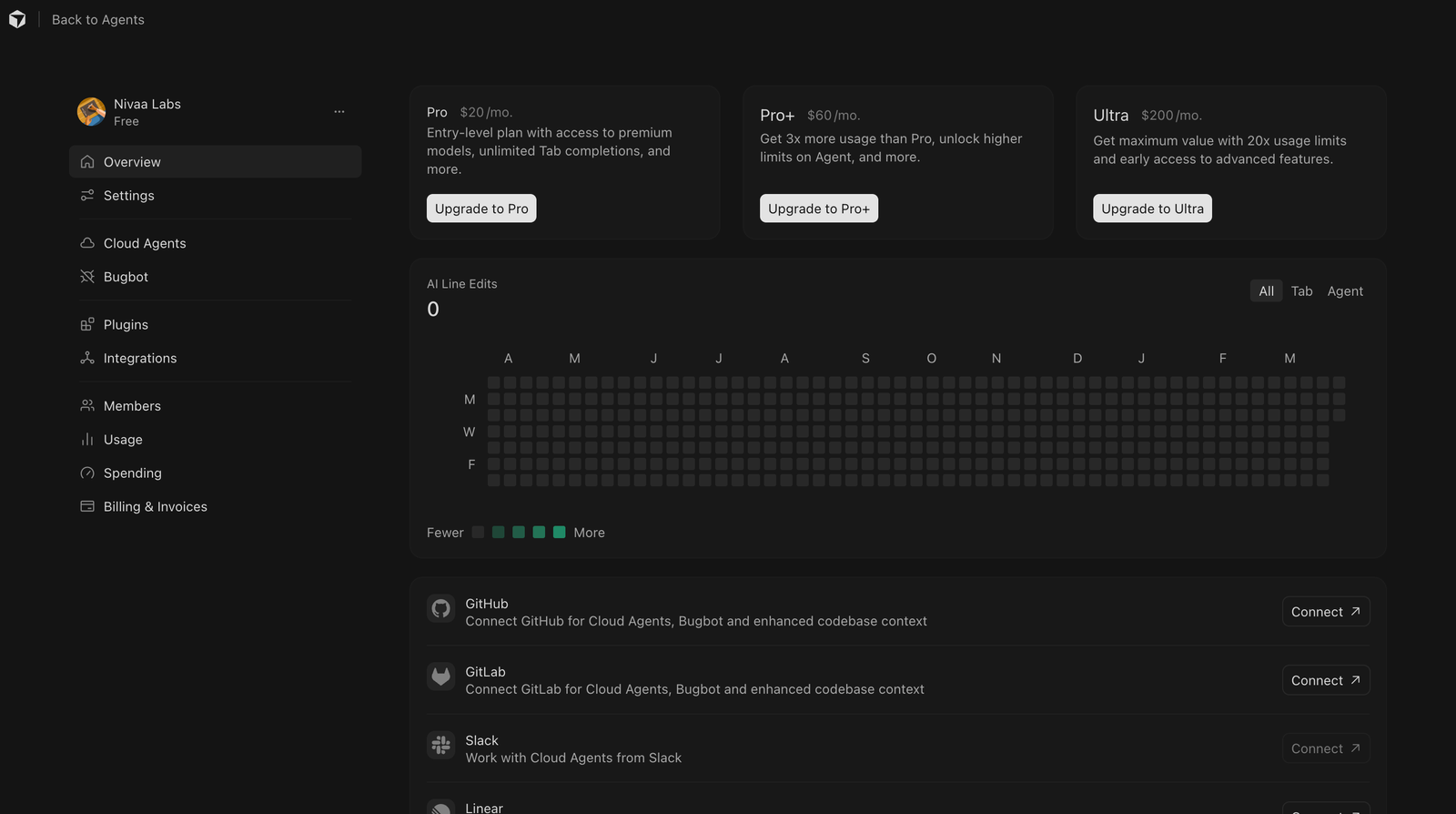
Cursor Pricing (2026)
| Plan | Price | Credits / Month | Key Features |
|---|---|---|---|
| Hobby | Free | Limited | Basic AI features, great for evaluation |
| Pro | $20/mo | $20 credit pool | Unlimited Tab & Auto mode, Agent access |
| Pro+ | $60/mo | $60 credit pool | 3x credits, background agents unlocked |
| Ultra | $200/mo | $200 credit pool | 20x credits, priority access |
| Teams | $40/user/mo | $40 credit pool/user | Shared context, centralized billing, SSO |
Windsurf: The Budget-Friendly Agentic Challenger
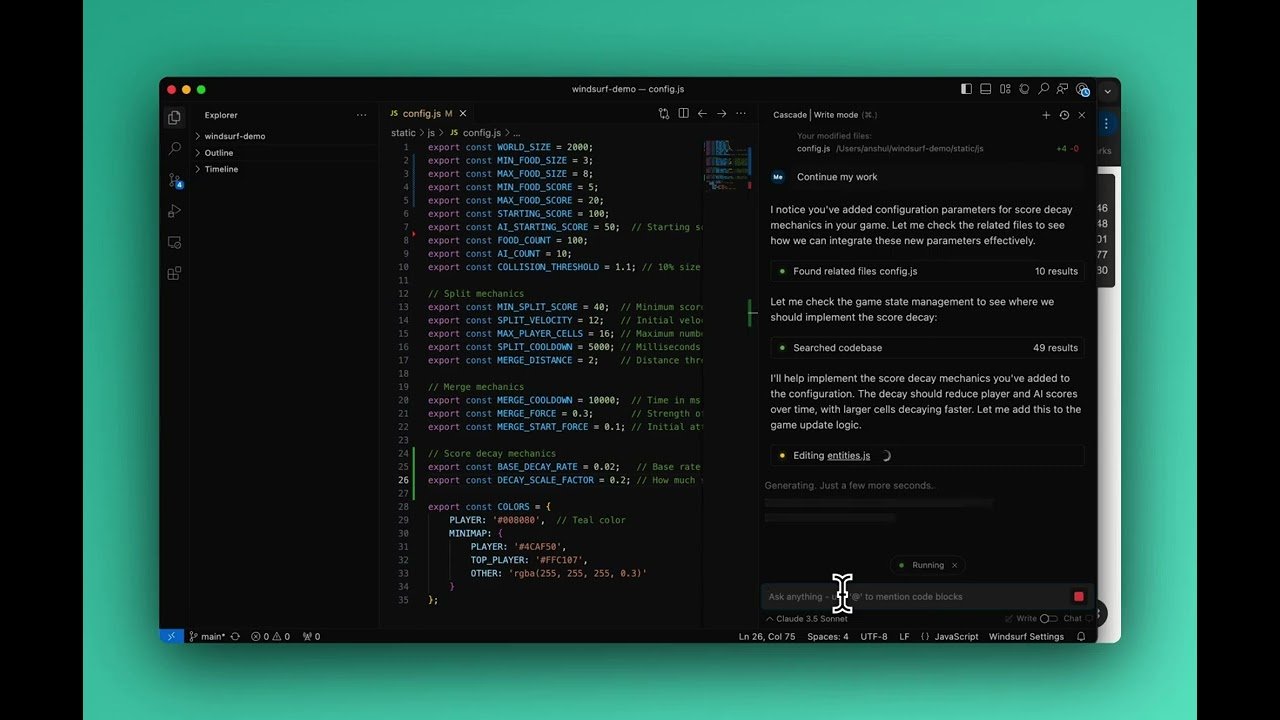
Windsurf rose to prominence in the second half of 2025 as developers fled Cursor’s credit-based pricing overhaul. Its headline feature is Cascade — a deeply agentic AI that reasons across your entire codebase rather than just the open file. Cascade plans, executes, observes output, and adjusts — behaving more like a junior developer pair programming alongside you than an autocomplete system.
Windsurf also introduced Memories — a system that persists codebase context across sessions so the model does not start fresh every time you open the editor. Combined with automatic Lint Fixing, Windsurf’s agentic experience rivals Cursor’s while undercutting it on price at every tier.
As of March 2026, Windsurf transitioned from a credit-based model to a quota-based pricing system. This is a meaningful structural shift: credits were a monthly pool you could burn in any pattern, while quotas impose rate limits with daily and weekly resets. Sprint coders who do all their AI-heavy work in intensive sessions will feel this most. Windsurf’s proprietary SWE-1 model costs zero credits on all plans — a capable fallback for routine tasks that preserves your quota for harder problems requiring GPT-5.4 or Claude.
Windsurf Pricing (2026)
| Plan | Price | Credits / Month | Key Features |
|---|---|---|---|
| Free | $0/mo | 25 credits | Unlimited Tab, SWE-1 Lite free, 5 deploys/day |
| Pro | $15/mo | 500 credits | SWE-1 full, Cascade, Memories, 10 deploys/day |
| Teams | $30/user/mo | 500/user | Admin dashboard, centralized billing, shared context |
| Enterprise | $60/user/mo | 1000/user | SSO, RBAC, SOC 2, priority support |
Claude Code: The Terminal-Native Agentic Powerhouse
Claude Code is a different category of tool entirely. It is not an IDE. It is not a plugin. It is a terminal-native AI agent that operates directly in your command line — reading, writing, and editing files across your entire codebase, running shell commands, debugging errors, and managing complex multi-file workflows with minimal human intervention. Powered by Claude Opus 4.6, which leads SWE-bench Verified at 80.8%, it is the most capable autonomous coding agent available as of March 2026.
In February 2026, Anthropic made two moves that dramatically expanded Claude Code’s reach: they opened access to all Pro subscribers at $20/month, and they launched Claude Opus 4.6 with Agent Teams — parallel coding agents for multi-stream workflows — and Compaction, which provides automatic context summarisation for infinitely long sessions. The 1 million token context window (beta) means Claude Code can hold your entire codebase in context simultaneously — something no IDE-based tool currently matches. According to Anthropic’s usage data, the average developer spends approximately $6 per day on Claude Code, with 90% staying below $12 per day. For how Claude Code compares to OpenCode in terminal-native environments, see our Claude Code vs OpenCode comparison.
Claude Code Pricing (2026)
| Plan | Price | Usage Level | Key Features |
|---|---|---|---|
| Free | $0/mo | No Claude Code access | — |
| Pro | $20/mo ($17 annual) | 5x free tier | Claude Code with Sonnet 4.6, basic agentic tasks |
| Max $100 | $100/mo | 5x Pro usage | Full Opus 4.6, Agent Teams, priority access |
| Max $200 | $200/mo | 20x Pro usage | Maximum usage, full Opus 4.6, Agent Teams |
| Team Premium | $150/user/mo | Team level | Claude Code for teams, SSO, admin controls |
Full Feature Comparison
| Feature | Cursor | Windsurf | Claude Code |
|---|---|---|---|
| Interface Type | Full IDE (VS Code based) | Full IDE (VS Code based) | Terminal / CLI only |
| Free Plan | ✅ Hobby (limited) | ✅ 25 credits/mo | ❌ Not available |
| Individual Pro Price | $20/mo | $15/mo ✅ Cheapest | $20/mo ($17 annual) |
| Tab Autocomplete | ✅ Unlimited (Pro+) | ✅ Unlimited all plans | ❌ Not applicable |
| Agentic Engine | Cursor Agent + Composer | Cascade | Claude Agent + Agent Teams |
| Multi-File Editing | ✅ Composer | ✅ Cascade | ✅ Native terminal |
| Codebase Context | ✅ Full repo | ✅ Full repo + Memories | ✅ 1M token context (beta) |
| Session Memory | ❌ | ✅ Memories feature | ✅ Compaction (infinite) |
| Models Supported | GPT-5.4, Claude, Gemini | GPT-5.4, Claude, Gemini, SWE-1 | Claude Sonnet 4.6, Opus 4.6 |
| Proprietary Model | ❌ | ✅ SWE-1 (free, no credits) | ❌ |
| Background Agents | ✅ Pro+ and above only | ✅ Cascade (all paid plans) | ✅ Agent Teams (Max plan) |
| Parallel Agent Support | ❌ | ❌ | ✅ Agent Teams (Opus 4.6) |
| MCP Support | ✅ | ✅ | ✅ |
| VS Code Extension Support | ✅ Full compatibility | ✅ Full compatibility | ❌ Not applicable |
| Student Discount | ❌ | ✅ ~50% off | ❌ |
| Teams Plan | $40/user/mo | $30/user/mo ✅ Cheapest | $150/user/mo ❌ Most expensive |
| Billing Model | Credits (since Jun 2025) | Quota (since Mar 2026) | Subscription tiers |
Pricing Breakdown: Which Gives You the Best Value?
| Plan Type | Cursor | Windsurf | Claude Code |
|---|---|---|---|
| Free | ✅ Hobby plan | ✅ 25 credits/mo | ❌ No access |
| Individual Pro | $20/mo | $15/mo ✅ Cheapest | $20/mo ($17 annual) |
| Power User | $60/mo (Pro+) | — | $100/mo (Max) |
| Heavy User | $200/mo (Ultra) | — | $200/mo (Max Ultimate) |
| Teams | $40/user/mo | $30/user/mo ✅ Cheapest | $150/user/mo ❌ Most expensive |
| Student Discount | ❌ | ✅ ~50% off | ❌ |
| Annual Savings | ~20% | — | ~15% (Pro only) |
Windsurf is the clear value winner at every tier where it competes. Cursor and Claude Code are equal on individual pricing at $20/month, but Cursor offers more billing tiers for power users while Claude Code’s team plan at $150/user is aimed squarely at enterprise — not small teams. For budget-conscious developers and students, Windsurf’s pricing structure is the strongest in the market. For AI productivity tools that complement these coding environments, our AI productivity tools guide covers the full stack.
Best Use Cases
Use Case 1: Migrating from VS Code + GitHub Copilot — Cursor
Problem: A developer team uses VS Code with GitHub Copilot and wants to upgrade to a more capable AI coding experience without disrupting their existing workflow, extensions, or keyboard shortcuts.
Solution: Cursor. The VS Code compatibility is complete — every extension, theme, and shortcut transfers instantly. The AI upgrade from Copilot to Cursor Agent is significant: Composer can implement features across multiple files from a single natural language description, while Copilot only suggests single-file completions.
Outcome: Teams consistently report a step-change in the scope of tasks they can delegate to AI after switching from Copilot to Cursor. The tradeoff is the credit-based billing, which requires monitoring for teams with variable usage patterns.
Use Case 2: Budget-Constrained Teams and Students — Windsurf
Problem: A startup engineering team of five needs capable AI coding assistance but cannot justify $40/user/month for Cursor Teams or $150/user/month for Claude Code Team Premium — a monthly AI tooling bill that rivals their cloud infrastructure costs.
Solution: Windsurf Teams at $30/user/month — $10 cheaper per seat than Cursor, with comparable Cascade agentic capabilities, Memories for persistent codebase context, and the SWE-1 model at zero credits for routine tasks. Students get an additional ~50% discount unavailable on any competing platform.
Outcome: A five-person team saves $600/year choosing Windsurf Teams over Cursor Teams — and more than $7,000/year over Claude Code Team Premium — while accessing agentic coding capabilities that match Cursor’s at the Pro tier.
Use Case 3: Complex Multi-File Agentic Engineering — Claude Code
Problem: A senior engineer needs to refactor a large production codebase — updating deprecated APIs, resolving cross-file type inconsistencies, writing comprehensive tests, and generating updated documentation — without manually coordinating every step across hundreds of interconnected modules.
Solution: Claude Code with Opus 4.6 via the Max plan. The 1 million token context window holds the entire codebase simultaneously. Agent Teams spawns parallel Opus instances for frontend, backend, and test workstreams simultaneously. Compaction eliminates context limits on long sessions. The 128K maximum output token ceiling means entire file diffs and test suites are generated in a single response without truncation.
Outcome: For the class of agentic engineering work that requires genuine autonomy across a large codebase, Claude Code with Opus 4.6 outperforms both IDE-based tools on code quality and cross-file consistency — at the cost of a terminal-only interface. For how Claude Code Agent Teams compares to other multi-agent approaches, see our Cursor Composer 2 vs Opus 4.6 comparison.
Use Case 4: Parallel Multi-Stream Feature Development — Claude Code Agent Teams
Problem: A product team needs to ship a full-stack feature simultaneously across frontend, backend, database schema, and API documentation — work that normally requires four developers coordinating over several days.
Solution: Claude Code’s Agent Teams on the Max $100/month plan. Multiple Opus 4.6 instances run in parallel — one per workstream — sharing relevant interface contracts through coordinated task lists. There is no equivalent in Cursor or Windsurf.
Outcome: Teams that have adopted Agent Teams report it as the feature that most changed their production velocity — compressing multi-day coordinated engineering work into single agent sessions. At $100/month versus the cost of a developer-day, the economics are compelling for teams with complex parallelisable workloads.
Pros and Cons
✅ Pros
- Cursor — Most Mature AI IDE Ecosystem: Cursor’s VS Code foundation means complete extension compatibility and zero migration friction from existing VS Code workflows. Its 1M+ user base translates to a larger community, more tutorials, and faster bug resolution than any competing AI coding tool.
- Cursor — Broadest Model Support: Cursor supports GPT-5.4, Claude Opus 4.6, Gemini 3.1 Pro, and a growing model list via the selector. No other AI IDE offers comparable flexibility to route tasks to the best model for each job type.
- Windsurf — Best Value at Every Price Point: Windsurf Pro at $15/month and Teams at $30/user undercut Cursor by 25–50% while delivering comparable agentic capabilities via Cascade. The ~50% student discount is the most generous offer in AI coding tools in 2026.
- Windsurf — Free SWE-1 Model Preserves Credits: Windsurf’s proprietary SWE-1 model is available at zero credit cost on all plans — giving developers a capable fallback for routine tasks that preserves monthly quota for harder problems that genuinely need GPT-5.4 or Claude.
- Windsurf — Memories for Persistent Codebase Context: Windsurf’s Memories feature persists codebase context across sessions — eliminating the cold-start problem where the AI has to re-learn your project structure every time you open the editor.
- Claude Code — Best-in-Class Model on SWE-bench: Powered by Claude Opus 4.6 with 80.8% SWE-bench Verified — the highest score among models available to any IDE or coding tool in March 2026. For production engineering where code quality is the primary success metric, the model advantage is real.
- Claude Code — 1M Token Context Window: The 1 million token context window (beta) is the largest available in any coding tool in 2026. Holding an entire large codebase in context simultaneously reduces the cross-file errors and hallucinated imports that plague smaller-context tools on large projects.
- Claude Code — Agent Teams with No Equivalent: Parallel multi-agent orchestration via Agent Teams is a capability available nowhere else in the AI coding tool market. For teams with parallelisable engineering workloads, this feature has no substitute in Cursor or Windsurf.
❌ Cons
- Cursor — Controversial Credit-Based Pricing: The June 2025 switch from 500 fixed requests to a credit pool effectively cut monthly capacity by more than half for most Pro users at the same $20/month price. Developer trust in Cursor’s pricing stability has not fully recovered and the migration to Windsurf it triggered demonstrates the real-world impact.
- Cursor — Background Agents Locked to $60/month: One of Cursor’s most compelling agentic features requires Pro+ at $60/month. At $20/month Pro, you are paying for a significantly less capable agentic experience than the marketing material suggests.
- Windsurf — March 2026 Quota Shift Creates New Friction: The transition from credits to quota-based billing in March 2026 is fresh and its real-world impact is still being measured. Developers who concentrate heavy AI usage into intensive sessions may find the new rate limits disruptive in ways the old credit system did not impose.
- Windsurf — Smaller Ecosystem than Cursor: Windsurf’s community, tutorial library, and third-party integrations lag Cursor’s by a significant margin. Developers who rely on community resources to learn new tools will find considerably less material available for Windsurf.
- Claude Code — Terminal-Only Interface: The absence of any graphical interface is a genuine barrier for developers who are not comfortable in the command line. Claude Code is explicitly designed for experienced terminal users — it is not a tool for beginners or developers who prefer visual coding environments.
- Claude Code — No Free Plan: Claude Code requires a paid subscription from day one with no free tier, no trial access, and no limited-usage evaluation. For developers wanting to test the tool before committing $20/month, there is no low-risk on-ramp available.
- Claude Code — Team Plan Pricing Is Enterprise-Grade: Claude Code Team Premium at $150/user/month is priced for large enterprises — not the startups and small teams that make up the majority of the developer market. Teams of 5–20 will find the economics difficult to justify versus Windsurf Teams at $30/user or Cursor Teams at $40/user.
Final Verdict
The Cursor vs Windsurf vs Claude Code comparison in March 2026 does not have a universal winner — and any recommendation that ignores your specific workflow, team size, and terminal comfort level is oversimplifying a genuinely nuanced decision.
Choose Cursor if you are migrating from VS Code and want the most mature, ecosystem-rich AI IDE experience available. Cursor’s extension compatibility, broad model support, and battle-tested Composer multi-file editing make it the safest default choice for teams that want AI integration without workflow disruption. Background agents cost $60/month and credit monitoring is required — but for teams that value ecosystem stability over price optimisation, Cursor remains the benchmark.
Choose Windsurf if price matters and you want comparable agentic capabilities without the Cursor premium. At $15/month for individuals and $30/user for teams, Windsurf delivers Cascade agentic coding, Memories persistence, unlimited Tab completions, and the free SWE-1 model at a price point that makes it the obvious choice for budget-conscious developers and students. The March 2026 quota shift introduces some uncertainty, but the core value proposition remains the strongest in the market for cost-sensitive teams.
Choose Claude Code if you are a terminal-comfortable developer who needs maximum autonomous coding capability — particularly for large, complex codebases where the 1 million token context window, Agent Teams parallel orchestration, and Claude Opus 4.6’s 80.8% SWE-bench lead genuinely matter. The $20/month Pro entry point makes it accessible, though heavy users will need the $100/month Max plan. Claude Code is not for everyone — but for the developer it is designed for, nothing else comes close. For the broader AI tooling stack that these coding tools plug into, our AI productivity tools guide covers the full landscape.
Ready to Try These Tools?
Try Cursor Free → Try Windsurf Free → Try Claude Code →Cursor and Windsurf both offer free plans — Claude Code requires a paid Pro subscription from $20/month
❓ Frequently Asked Questions
Which is the best AI coding tool in 2026: Cursor, Windsurf, or Claude Code?
It depends on your workflow. Cursor is best for VS Code users wanting the most mature AI IDE. Windsurf is best for budget-conscious developers and teams — $15/month Pro and $30/user Teams. Claude Code is best for terminal-native developers needing maximum autonomous coding powered by Claude Opus 4.6 with 80.8% SWE-bench Verified.
How much does Cursor cost in 2026?
Cursor offers a free Hobby plan, Pro at $20/month, Pro+ at $60/month (required for background agents), Ultra at $200/month, and Teams at $40/user/month. Since June 2025, Cursor uses credit-based billing — the $20 Pro plan includes a $20 credit pool, limiting users to approximately 225 AI requests per month versus the previous 500.
How much does Windsurf cost in 2026?
Windsurf offers Free (25 credits/month), Pro at $15/month (500 credits), Teams at $30/user/month, and Enterprise at $60/user/month. Tab completions are unlimited on all plans. As of March 2026, Windsurf switched to a quota-based system with daily and weekly rate limits. The SWE-1 model costs zero credits on all plans.
How much does Claude Code cost in 2026?
Claude Code is available via Claude Pro at $20/month (or $17/month billed annually), Claude Max at $100/month or $200/month, and Claude Team Premium at $150/user/month. There is no free plan. Anthropic reports the average developer spends approximately $6 per day on Claude Code with 90% of users staying below $12 per day.
Is Windsurf cheaper than Cursor?
Yes. Windsurf Pro is $15/month versus Cursor Pro at $20/month — 25% cheaper. Windsurf Teams is $30/user versus Cursor Teams at $40/user — 25% cheaper per seat. Windsurf also offers a ~50% student discount not available on Cursor. Windsurf grew significantly after Cursor’s controversial June 2025 credit-based pricing change.
Does Claude Code work without an IDE?
Yes — Claude Code is terminal-native and designed to work entirely in the command line without any IDE. It reads, writes, and edits files across your codebase, runs shell commands, interprets output, and manages multi-file workflows autonomously. It has no graphical interface and is not suitable for developers who are not comfortable working in the terminal.
Which AI coding tool is best for beginners in 2026?
Cursor is the best choice for beginners due to its familiar VS Code interface, complete extension compatibility, and large community of tutorials. Windsurf is also beginner-friendly with a similar IDE experience and a more generous free plan. Claude Code requires terminal comfort and is explicitly designed for experienced developers — it is not recommended for beginners.
Latest Articles
Browse our comprehensive AI tool reviews and productivity guides
Claude Fable 5 Review: Anthropic’s Most Powerful Public AI Model (2026)
Claude Fable 5 Review: Anthropic’s Most Powerful Public AI Model (2026)
Anthropic launched Claude Fable 5 on June 9, 2026 — their first Mythos-class model available to the general public. We break down its capabilities, safeguards, pricing, and how it stacks up against the competition.
Claude for Small Business Review (2026)
Claude for Small Business Review (2026)
Anthropic's Claude for Small Business ships with 15 ready-to-run AI workflows inside tools like QuickBooks, PayPal, HubSpot, and Canva. We break down what it does, who it's for, and whether it's worth your time.
Generative Engine Optimization (GEO) 2026: How to Get Your Content Cited by...
Generative Engine Optimization (GEO) 2026: How to Get Your Content Cited by ChatGPT, Perplexity & Google AI
Traditional SEO gets you ranked. GEO gets you cited. With 60% of searches now ending without a click and AI Overviews slashing organic CTR by 58%, getting your content into AI answers is the new growth channel. Here's the complete playbook for 2026.
Perplexity Projects Explained: New Workflow System
Perplexity Projects Explained: New Workflow System
Perplexity Projects are changing AI research with a new workflow system that enhances productivity and streamlines complex tasks.
Bika.ai Review: No-Code Agentic Database for AI
Bika.ai Review: No-Code Agentic Database for AI
Is Bika.ai the no-code agentic database solution you've been searching for? This review breaks down its features, pricing, and potential.
Gumloop Review 2026: Drag-and-Drop AI for Founders
Gumloop Review 2026: Drag-and-Drop AI for Founders
A comprehensive Gumloop review for non-technical founders, evaluating its drag-and-drop AI capabilities, pricing, and suitability for business automation.
LangGraph vs AutoGen: Advanced State Management 2026
LangGraph vs AutoGen: Advanced State Management 2026
Compare LangGraph and AutoGen for advanced AI agent state management in 2026, detailing benchmarks, pricing, and real-world application differences.
Commonstack AI: Intelligent Model Routing Guide
Commonstack AI: Intelligent Model Routing Guide
Discover how Commonstack AI optimizes LLM usage with intelligent model routing for cost savings.
Clawbot AI Review 2026: Multi-Agent Orchestration Compared
Clawbot AI Review 2026: Multi-Agent Orchestration Compared
An in-depth look at Clawbot AI versus CrewAI for multi-agent orchestration, examining their capabilities, pricing, and ideal use cases.
Claude Code vs n8n: Connecting AI for Auto-Healing Pipelines
Claude Code vs n8n: Connecting AI for Auto-Healing Pipelines
Explore Claude Code vs n8n for agentic workflows, detailing their strengths in code automation and business process integration.
DeepSeek V4 Review 2026: The Largest Open-Weight Model Ever — Pro, Flash,...
DeepSeek V4 Review 2026: The Largest Open-Weight Model Ever — Pro, Flash, Benchmarks & Pricing
DeepSeek V4 Review 2026: The Largest Open-Weight Model Ever — and the Biggest Disruption to AI Pricing
Gemini 3.5 Ultra Review: Google’s 10-Million Token Sovereign — The End of...
Gemini 3.5 Ultra Review: Google’s 10-Million Token Sovereign — The End of the Context Wars? (May 2026)
Gemini 3.5 Ultra completed global rollout across all Google One AI Premium accounts and Enterprise API tiers. Benchmark data sourced from Artificial Analysis v4.2, Google DeepMind Technical Reports, and independent stress testing from NivaaLabs.