


Claude Free vs Pro vs Cowork vs Claude Code 2026: Which Plan Is Right for You?
📑 Table of Contents
🎯 Quick Verdict
Choosing the right Claude plan in 2026 depends entirely on how you work — from casual chatting to autonomous file-level task execution. Claude Free is ideal for light use, Pro unlocks serious daily productivity, Cowork turns Claude into a desktop AI agent for knowledge work, and Claude Code is the terminal-based powerhouse built specifically for developers.
Anthropic’s Claude has expanded dramatically in 2026, moving far beyond a simple chat interface into a full ecosystem of AI work tools. The four main access points — Claude Free, Claude Pro, Claude Cowork, and Claude Code — each serve a fundamentally different type of user, from someone who wants quick answers to a developer running autonomous multi-hour coding sessions. Getting this choice wrong means either paying for capabilities you will never use or being bottlenecked by a plan that cannot keep up with your workload.
This guide breaks down every meaningful difference between the plans — not just the pricing, but the actual workflow implications of each tier. We have drawn on the latest plan data and feature announcements to give you a practical, honest comparison that goes beyond Anthropic’s own marketing. For context on where Claude fits in the broader AI assistant landscape, see our ChatGPT vs Gemini comparison and our guide to the best AI coding assistants for developers.
⚡ Capability Comparison by Plan
Overview: The Claude Ecosystem in 2026
Claude in 2026 is not one product — it is a tiered ecosystem of AI capabilities that scales from a free chat interface to an autonomous desktop agent that can read your files, plan multi-step workflows, and execute tasks while you step away. Understanding the architecture of these tiers is the first step to choosing the right one.
The four plans covered in this article divide into two distinct categories. Claude Free and Claude Pro are conversational AI plans — they give you access to Claude’s chat interface with different usage limits and model access. Claude Cowork and Claude Code are agentic AI tools — they give Claude the ability to take actions, access your file system, run code, and complete complex multi-step tasks autonomously. The jump from chat to agentic is the most important distinction to understand before choosing a plan.
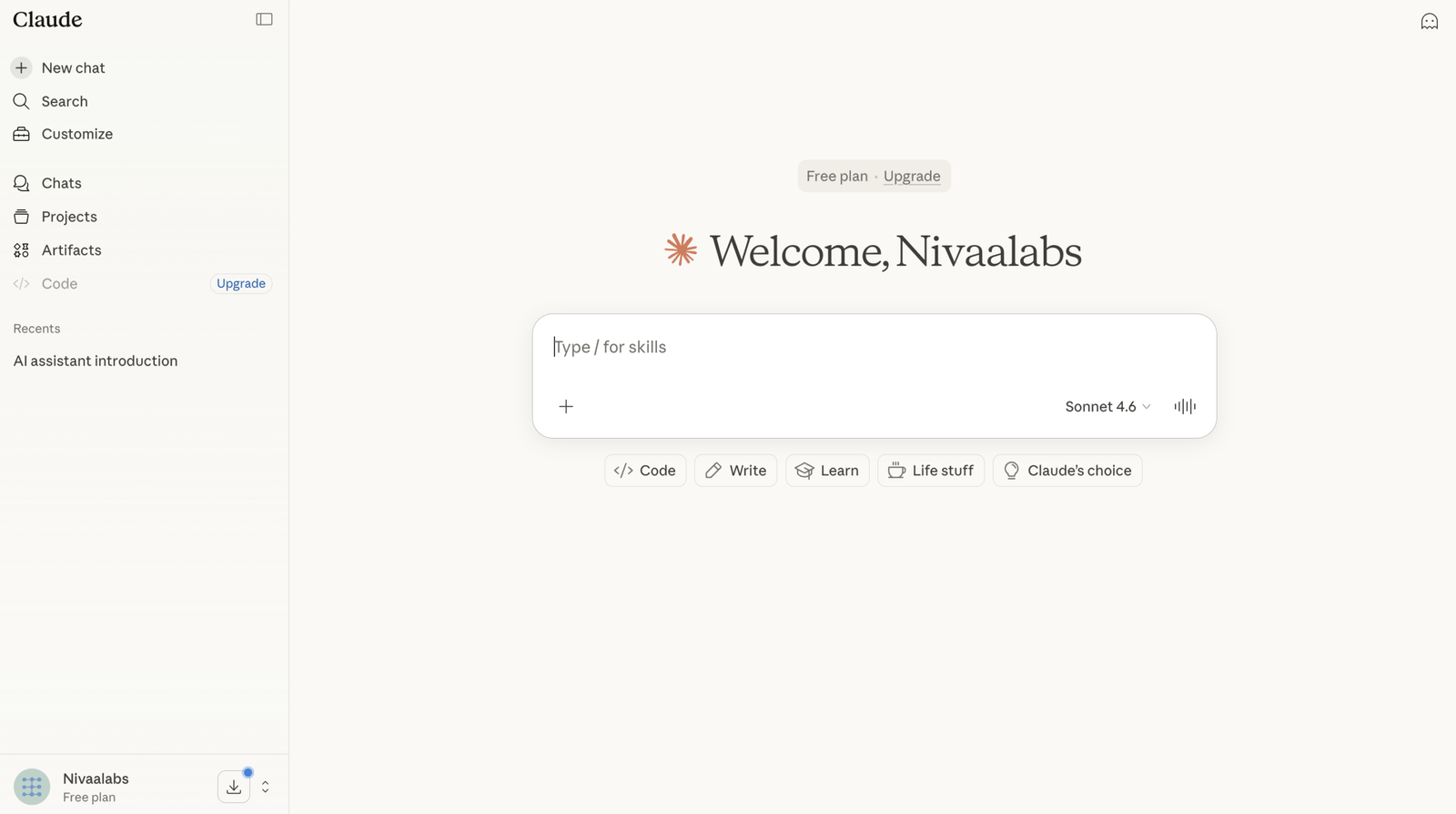
Claude Free
Claude Free is Anthropic’s no-cost entry tier, available on web, iOS, Android, and desktop. It provides access to the Claude Sonnet model — Anthropic’s capable everyday model — with strict daily message limits that vary based on server load and conversation length. Free users can expect roughly 30–100 messages per day under normal conditions. It includes basic web search, image analysis, and the standard Artifacts UI. It is best suited for casual users, students, and anyone who wants to evaluate Claude before committing to a paid plan.
Claude Pro
Claude Pro at $20/month (or $17/month billed annually) is the most popular paid tier, providing 5x the usage of the Free plan with priority server access during high-traffic periods. Pro users get access to all current Claude models including Opus 4.6, the flagship reasoning model, alongside Extended Thinking for complex analytical tasks. Pro also includes access to Claude Cowork as a beta feature, Google Workspace integration (Docs, Gmail), and the Projects feature for organizing conversations with persistent context. For most professional users, Pro represents the optimal balance of capability and cost.
Claude Cowork
Launched in January 2026, Claude Cowork is a research preview available to Pro, Max, Team, and Enterprise users via the Claude Desktop app. It brings Claude Code’s agentic architecture to knowledge work beyond coding — giving Claude direct access to your local file system so it can autonomously complete multi-step tasks like synthesizing research documents, organizing files, generating formatted reports, and producing spreadsheets and presentations. You describe an outcome, Claude creates a plan, executes it across your files and applications, and delivers finished work — looping you in at defined checkpoints. It is not a chat upgrade; it is a fundamentally different way of working with AI.
Claude Code
Claude Code is Anthropic’s terminal-based agentic coding tool, available to Pro, Max, Team, and Enterprise subscribers. It integrates directly into development environments and gives Claude the ability to read entire codebases, write and edit files, run tests, manage Git operations, and execute shell commands autonomously. Unlike Copilot-style inline suggestions, Claude Code operates at the repository level — understanding the full context of a project before making changes. It is purpose-built for software developers and represents the most powerful agentic capability in the Claude ecosystem, capable of autonomous coding sessions lasting 30+ hours on complex engineering tasks.
Together these four tiers form a coherent progression from casual user to power professional. The sections below examine each tier’s standout capability, full pricing, and the specific scenario where it delivers its best value.
Key Features by Plan
Rather than listing generic features, this section focuses on the single most impactful capability of each Claude tier — the thing that most clearly justifies choosing it over the tier below.
Claude Free: Access to Claude Sonnet with No Credit Card Required
Claude Free’s defining value is zero-friction access to a genuinely capable AI model at no cost. Unlike some competitors whose free tiers feel artificially crippled, Claude Free gives access to Claude Sonnet — a model that handles complex writing, analysis, coding assistance, and reasoning tasks at a level that satisfies the majority of casual use cases without any payment. The daily message limits are the only real constraint, and for users who check in a few times per week for specific tasks rather than relying on Claude as a continuous productivity tool, those limits are rarely reached. Basic web search and image analysis are included, making the free tier a complete tool for light professional use rather than just a demo. For anyone who has been using ChatGPT’s free tier and wondering whether Claude is worth exploring, the Free plan answers that question without any financial commitment.
Claude Pro: 5x Usage with Full Model Access Including Opus 4.6
Claude Pro’s most important feature is not any specific capability — it is the removal of the usage ceiling that makes Claude Free frustrating for professional daily use. At 5x the free tier’s message limit with priority queue access, Pro users rarely encounter the “Claude is at capacity” interruption that can derail a workflow at a critical moment. More significantly, Pro unlocks Opus 4.6 — Anthropic’s flagship reasoning model that demonstrates a 77.2% score on SWE-bench Verified, placing it among the top-performing models for complex coding and analytical reasoning tasks. Extended Thinking mode, available on Pro, allows Claude to reason through particularly complex problems step by step before responding, delivering noticeably higher quality answers on difficult analytical, mathematical, and architectural questions. For a professional who uses Claude as a daily work tool, the difference between Free and Pro in terms of reliability and output quality at the highest difficulty levels is substantial. The $20/month price point makes this the clearest value proposition in the Claude lineup for most working professionals.
Claude Cowork: Autonomous Multi-Step Task Execution Across Your File System
Claude Cowork’s defining capability — and the one that makes it genuinely different from every other Claude tier — is its ability to access your local file system directly and execute multi-step tasks autonomously while you step away and do other work. This is not about generating text that you then have to manually implement. When you assign Cowork a task like “synthesize these 12 research papers into a structured report with an executive summary,” it reads all 12 files, plans the structure, drafts the report, formats it correctly, and saves the finished document to your specified folder — without you being present for any individual step. It uses sub-agent coordination to break complex work into parallel workstreams, meaning tasks that would take a human several hours can be completed in significantly less time. For knowledge workers — researchers, analysts, project managers, content teams — this represents a qualitative shift in what AI can do for them. Scheduled tasks, introduced alongside Cowork, allow Claude to complete work automatically at specified times, something that is impossible in regular chat interfaces. Full feature parity between macOS and Windows has been available since February 2026. For a deeper look at how agentic AI tools are reshaping developer workflows specifically, see our AI coding assistants guide.
Claude Code: Repository-Wide Agentic Coding with Terminal Integration
Claude Code’s standout capability is its ability to understand and operate on an entire codebase as a single unit of context — reading every file, understanding the architecture, tracing dependencies, and making changes that are consistent with the project’s existing patterns rather than generating isolated code snippets that may conflict with what already exists. Unlike GitHub Copilot or Cursor AI, which operate primarily at the file or function level, Claude Code operates at the repository level, making it the most contextually aware coding tool available. It can autonomously run test suites, interpret failure messages, fix the underlying bugs, re-run tests to confirm resolution, commit the changes with appropriate commit messages, and create pull requests — completing what would be a multi-hour developer workflow in a single delegated session. The terminal-based interface means it integrates naturally into professional development environments without requiring IDE plugins or browser extensions, and its ability to coordinate multiple sub-agents on parallel workstreams means complex refactoring tasks that would block a team for days can be completed in hours. Available to Pro subscribers and above, Claude Code is the most powerful productivity tool in the Claude ecosystem for software engineering teams.
Pricing Comparison
Claude’s pricing in 2026 follows a clear progression from free to enterprise, with two individual paid tiers sitting between the standard Pro plan and the business-oriented Team and Enterprise options. Understanding what each tier actually unlocks — not just the usage multiplier — is essential for making the right decision.
The Free tier’s zero cost makes it the obvious starting point, but the practical ceiling is low. Power users frequently hit the daily limit during heavy work sessions, and the absence of Opus 4.6 and Extended Thinking means the highest-quality Claude outputs are unavailable. The $20/month Pro plan is where Anthropic’s product really opens up — five times the usage, all models, priority access, Cowork beta access, and Google Workspace integration represent a significant capability jump for a modest monthly investment that most professionals recover in time savings within the first day of use.
| Plan | Price | Usage vs Free | Claude Code | Cowork | Best For |
|---|---|---|---|---|---|
| Claude Free | $0/month | Baseline | ❌ | ❌ | Casual users, evaluation |
| Claude Pro | $20/month ($17 annual) | 5x Free | ✅ Sonnet | ✅ Beta | Most professionals |
| Claude Max 5x | $100/month | 25x Free | ✅ Full Opus | ✅ Full | Heavy daily users |
| Claude Max 20x | $200/month | 100x Free | ✅ Full Opus | ✅ Full | All-day power users |
| Claude Team | $25/seat/month (annual) | More than Pro | ✅ Premium seats | ✅ | Teams of 5+ |
| Claude Enterprise | Custom pricing | Highest | ✅ All seats | ✅ | Large organizations |
The Max tiers introduce an important pricing consideration: the jump from Pro ($20) to Max 5x ($100) is an $80/month increase for 5x more usage. For most professionals, Pro’s usage limits are sufficient. The Max tiers make economic sense specifically for users who are consistently hitting Pro’s limits multiple times per week — heavy writers working on long-form book projects, developers running extended Claude Code sessions daily, or analysts processing hundreds of documents routinely. For those users, the Max tiers eliminate interruptions that have real productivity costs.
The Team plan at $25/seat/month (billed annually, minimum 5 seats) introduces centralized billing, shared Projects, 200K context window, and collaboration features that individual plans lack. For startups and agency teams, Team often works out cheaper than multiple individual Pro subscriptions once the collaboration features are factored in. Premium Team seats at $150/month include Max-level usage with full Claude Code access — relevant for engineering teams where developers need maximum throughput. Enterprise pricing is custom and typically starts around $500–1,000/month for small deployments, scaling with user count and feature requirements. For teams building AI-powered workflows, our guide to AI productivity tools covers how Claude fits alongside other tools in a complete stack.
Best Use Cases
Each Claude tier performs best in a specific professional context. Matching the right plan to the right workflow avoids both overspending and being bottlenecked by insufficient capability.
Use Case 1: Students and Casual Users — Claude Free
Problem: A student needs reliable AI assistance for essay drafting, research summarization, and concept explanation, but cannot justify a monthly subscription on top of other expenses.
Solution: Claude Free provides access to Claude Sonnet’s full reasoning capability for text-based tasks within the daily message limits. For most students using Claude several times per week for specific assignments rather than continuous all-day work, the free tier is sufficient without ever hitting the cap.
Outcome: The student gets genuinely high-quality AI assistance — better writing feedback, clearer concept explanations, and more nuanced analysis than most free AI tools offer — at zero cost. When the free tier limits become genuinely constraining, that is the natural signal to evaluate whether $20/month Pro is justified by the time saved.
Use Case 2: Content Creators and Marketing Professionals — Claude Pro
Problem: A content marketer needs reliable AI assistance throughout the working day — drafting articles, refining copy, analyzing briefs, responding to briefs in different tones — but keeps hitting message limits at critical moments with the free tier.
Solution: Claude Pro eliminates usage interruptions and unlocks Opus 4.6 for the highest-quality writing and analysis outputs. The Google Workspace integration allows Claude to work directly within Google Docs and Gmail, and Projects enables persistent context so Claude remembers the brand voice, style guidelines, and ongoing campaign details across sessions.
Outcome: The marketer works with AI as a genuine daily collaborator rather than an occasional tool, producing significantly higher content output without sacrificing quality. The Projects feature alone — allowing Claude to maintain context about brand standards, audience profiles, and campaign goals across weeks of work — delivers productivity gains that justify the $20/month investment within the first few hours of use. For more on AI writing tools that complement Claude Pro, see our AI writing tools comparison.
Use Case 3: Researchers and Analysts — Claude Cowork
Problem: A market researcher needs to synthesize 40 industry reports into a structured competitive analysis, a task that would normally require two full days of reading, note-taking, cross-referencing, and drafting.
Solution: Use Claude Cowork via Claude Desktop. Grant Cowork access to the folder containing all 40 reports, describe the desired output structure, and assign the task. Cowork reads every document, identifies relevant sections, cross-references findings, and produces a formatted competitive analysis report — delivered to a specified output folder without the researcher being present for each step.
Outcome: A two-day task completes in a fraction of the time, with the researcher reviewing and refining the final output rather than producing the first draft manually. The quality of synthesis is consistent and comprehensive in a way that manual summarization often is not — Claude does not get tired or selectively skim the way humans do under time pressure. This use case alone justifies the Pro subscription cost many times over for anyone doing regular research-heavy work.
Use Case 4: Software Developers — Claude Code
Problem: A developer needs to refactor a large legacy codebase, adding proper test coverage and updating deprecated dependencies — a multi-day project that requires understanding hundreds of interconnected files before making any changes.
Solution: Assign the refactoring task to Claude Code via the terminal. Claude reads the entire repository, maps the dependency structure, identifies the safest refactoring sequence, implements the changes file by file, runs the test suite after each significant change, fixes any failures, and commits progress with descriptive messages throughout the session.
Outcome: The developer defines the goal and reviews checkpoints rather than executing thousands of individual edits manually. Refactoring work that would block a developer for three days is completed as a delegated session, freeing the developer for architectural decisions and code review rather than mechanical implementation. For a comparison of Claude Code against other AI coding tools, see our AI coding assistants guide.
Use Case 5: Small Business Teams — Claude Team Plan
Problem: A five-person marketing agency wants their entire team using Claude with shared project context, centralized billing, and the ability to collaborate on client projects within a common AI workspace — without managing five separate individual subscriptions.
Solution: The Claude Team plan at $25/seat/month provides centralized billing, shared Projects where all team members can access and contribute to the same Claude context, a 200K context window for handling large client documents, and priority access for all seats. The admin console gives visibility into usage across the team.
Outcome: The agency operates with a shared AI infrastructure rather than five siloed individual tools. Client knowledge bases, brand guidelines, and campaign briefs live in shared Projects accessible to every team member, eliminating the repeated work of re-briefing Claude on context that the whole team already knows. This collaborative efficiency is the primary reason Team makes more sense than individual Pro subscriptions once a working group reaches five or more members.
Pros and Cons
✅ Pros
- Claude Free: Zero cost with access to Claude Sonnet — a genuinely capable model, not an artificially crippled demo version. The free tier provides real value for casual and occasional users who do not need unlimited daily access, making it the most honest free AI offering among major providers.
- Claude Pro: At $20/month the value-to-cost ratio is exceptional — 5x usage, Opus 4.6 access, Extended Thinking, Google Workspace integration, Projects, and Cowork beta access represent a substantial capability package at a price point that most professionals recover within hours of productivity gains per month.
- Claude Pro: The Projects feature creates persistent context across conversations — Claude remembers your brand voice, coding standards, client details, and ongoing project context across sessions, eliminating the repetitive re-briefing that makes chat-based AI feel like starting from scratch every time.
- Claude Cowork: Fundamentally changes the human-AI work dynamic for knowledge workers — instead of generating text that a human implements, Cowork executes complete multi-step tasks autonomously, delivering finished outputs to your file system while you focus on other work. This is the most significant productivity multiplier in the Claude ecosystem for non-developers.
- Claude Cowork: Full Windows and macOS parity since February 2026 eliminates the platform restriction that limited early adoption. The ability to assign tasks from mobile while Cowork executes on your desktop further extends its practical utility for professionals who work across devices.
- Claude Code: Repository-wide context understanding makes it qualitatively superior to inline suggestion tools for complex refactoring and architectural work. It understands the entire project before making any change, producing modifications that are consistent with existing patterns rather than technically correct but stylistically incongruent.
- Claude Code: Autonomous test-fix-commit loops enable delegation of entire engineering workflows rather than individual coding tasks, delivering productivity gains that scale with codebase complexity rather than diminishing as problems become harder.
❌ Cons
- Claude Free: Daily message limits can be exhausted quickly during intensive work sessions, and the limits are not fixed — they vary based on server load and conversation length in ways that make reliable planning difficult. Professional daily use almost always requires upgrading to Pro within a few weeks of regular use.
- Claude Pro: The $80 jump to Max 5x ($100/month) is steep for users who regularly hit Pro’s limits. There is no intermediate tier between $20 and $100, meaning users who need modestly more than Pro offers but significantly less than Max face an uncomfortable value gap in the pricing structure.
- Claude Pro: Google Workspace integration is currently the primary productivity suite connection — users in Microsoft 365 environments do not have equivalent native integration at the Pro level, though Microsoft’s Copilot Cowork (powered by Claude) addresses this separately for M365 organizations.
- Claude Cowork: Currently a research preview, which means no memory across sessions — each new Cowork session starts fresh without knowledge of previous task history. This requires users to maintain their own context files and re-establish project context at the start of each session, adding overhead that the feature is designed to eliminate.
- Claude Cowork: Direct CRM API connectors (Salesforce, HubSpot) are not yet in Cowork’s public connector list as of March 2026. CRM updates require browser-based actions rather than direct API calls, adding a review step that prevents full automation of sales workflow tasks.
- Claude Code: The terminal-based interface has a steeper setup curve than browser or IDE-based tools like Cursor or GitHub Copilot. Developers unfamiliar with terminal workflows may find the initial configuration more involved than competing tools that install as IDE extensions with minimal setup.
- Claude Code: Agentic coding sessions consume significantly more compute than standard chat interactions, meaning Pro users working on large-scale refactoring tasks may hit usage limits faster than expected. Heavy Claude Code users typically need Max tier to avoid interruptions during extended autonomous sessions.
Final Verdict
Choosing the right Claude plan in 2026 is less about feature lists and more about honestly assessing how you work and what type of AI assistance creates the most value for your specific role. The four tiers serve genuinely different users, and the right answer shifts significantly depending on whether you are a casual user, a knowledge worker, or a software developer.
For the majority of working professionals — content creators, analysts, marketers, consultants, writers — Claude Pro at $20/month is the clear recommendation. It removes the friction of usage limits, unlocks the highest-quality Claude models for demanding tasks, and includes Cowork beta access that can deliver productivity gains well beyond the monthly cost. The Projects feature alone justifies the upgrade for anyone who works with Claude more than a few times per week by eliminating the repetitive context-setting that makes free-tier AI feel like a tool rather than a collaborator.
For knowledge workers who regularly handle document-heavy research, synthesis, or file management tasks, Claude Cowork (included with Pro) represents the most significant capability upgrade available in the AI assistant market right now. The shift from generating text to executing complete workflows autonomously is not incremental — it changes the fundamental unit of work from “write me a draft” to “complete this project.” Users who unlock this capability and adapt their workflow around it typically find it impossible to go back to chat-only AI tools.
For software developers, Claude Code is the most powerful agentic coding tool available at any price point for repository-level engineering work. Developers running intensive daily coding sessions should plan for Max tier to avoid usage interruptions, but Pro is the right starting point for evaluating whether Claude Code’s approach suits their workflow before committing to the higher monthly investment. Teams of five or more should evaluate the Team plan, where shared Projects, centralized billing, and collaboration features typically deliver more value than the same number of individual Pro subscriptions. For individuals building their full AI toolkit alongside Claude, our AI data analysis tools guide and AI writing tools comparison cover the complementary tools that complete a professional AI stack.
❓ Frequently Asked Questions
What is the difference between Claude Free and Claude Pro?
Claude Free provides access to Claude Sonnet with daily message limits of roughly 30–100 messages. Claude Pro at $20/month gives 5x more usage, priority server access, full Opus 4.6 access, Extended Thinking mode, Google Workspace integration, the Projects feature for persistent context, and access to Claude Cowork and Claude Code. For anyone using Claude as a daily professional tool, Pro is necessary.
What is Claude Cowork and how is it different from regular Claude chat?
Claude Cowork is an agentic AI feature available via the Claude Desktop app for Pro, Max, Team, and Enterprise users. Unlike regular chat where Claude responds to individual prompts, Cowork gives Claude direct access to your local file system and the ability to execute complete multi-step tasks autonomously — reading files, organizing content, producing formatted documents, and delivering finished outputs while you step away. It launched in January 2026 and reached full Windows and macOS parity in February 2026.
Do I need Claude Code or Claude Cowork — what is the difference?
Claude Code is a terminal-based agentic tool built specifically for software developers — it reads entire codebases, writes and edits files, runs tests, manages Git operations, and executes shell commands. Claude Cowork uses the same underlying agentic architecture but is designed for knowledge work beyond coding — research synthesis, document organization, report generation, and file management for non-developers. If you write code, Claude Code. If you do not, Cowork. Both are available on Pro and above.
Is Claude Pro worth it at $20/month?
For most professionals using Claude regularly, yes. Pro delivers 5x more usage than Free, unlocks Opus 4.6 for the highest-quality outputs, adds Extended Thinking for complex analytical tasks, and includes Cowork and Claude Code access. At $20/month — equivalent to roughly 15 minutes of professional billable time — the productivity gains from eliminating usage interruptions and accessing premium models typically justify the cost within the first day of regular use.
When should I upgrade from Claude Pro to Max?
Upgrade to Max ($100/month) when you are consistently hitting Pro’s usage limits multiple times per week in ways that interrupt your workflow. Max 5x provides 25x Free tier usage and is suited for heavy daily users running extended Claude Code sessions, processing large document volumes through Cowork, or working on very long-form projects. If you hit limits occasionally, Pro is sufficient. If limits are a daily frustration, Max pays for itself in recovered productivity.
Ready to Get Started?
Try Claude Free → Upgrade to Claude Pro →Start free — upgrade when you are ready
Latest Articles
Browse our comprehensive AI tool reviews and productivity guides
GitHub Copilot Pricing 2026: AI Credits Explained
GitHub Copilot Pricing 2026: AI Credits Explained
GitHub Copilot pricing in 2026 has shifted to AI Credits, impacting heavy users more than basic autocomplete.
Claude Fable 5 Review: Anthropic’s Most Powerful Public AI Model (2026)
Claude Fable 5 Review: Anthropic’s Most Powerful Public AI Model (2026)
Anthropic launched Claude Fable 5 on June 9, 2026 — their first Mythos-class model available to the general public. We break down its capabilities, safeguards, pricing, and how it stacks up against the competition.
Claude for Small Business Review (2026)
Claude for Small Business Review (2026)
Anthropic's Claude for Small Business ships with 15 ready-to-run AI workflows inside tools like QuickBooks, PayPal, HubSpot, and Canva. We break down what it does, who it's for, and whether it's worth your time.
Generative Engine Optimization (GEO) 2026: How to Get Your Content Cited by...
Generative Engine Optimization (GEO) 2026: How to Get Your Content Cited by ChatGPT, Perplexity & Google AI
Traditional SEO gets you ranked. GEO gets you cited. With 60% of searches now ending without a click and AI Overviews slashing organic CTR by 58%, getting your content into AI answers is the new growth channel. Here's the complete playbook for 2026.
Perplexity Projects Explained: New Workflow System
Perplexity Projects Explained: New Workflow System
Perplexity Projects are changing AI research with a new workflow system that enhances productivity and streamlines complex tasks.
Bika.ai Review: No-Code Agentic Database for AI
Bika.ai Review: No-Code Agentic Database for AI
Is Bika.ai the no-code agentic database solution you've been searching for? This review breaks down its features, pricing, and potential.
Gumloop Review 2026: Drag-and-Drop AI for Founders
Gumloop Review 2026: Drag-and-Drop AI for Founders
A comprehensive Gumloop review for non-technical founders, evaluating its drag-and-drop AI capabilities, pricing, and suitability for business automation.
LangGraph vs AutoGen: Advanced State Management 2026
LangGraph vs AutoGen: Advanced State Management 2026
Compare LangGraph and AutoGen for advanced AI agent state management in 2026, detailing benchmarks, pricing, and real-world application differences.
Commonstack AI: Intelligent Model Routing Guide
Commonstack AI: Intelligent Model Routing Guide
Discover how Commonstack AI optimizes LLM usage with intelligent model routing for cost savings.
Clawbot AI Review 2026: Multi-Agent Orchestration Compared
Clawbot AI Review 2026: Multi-Agent Orchestration Compared
An in-depth look at Clawbot AI versus CrewAI for multi-agent orchestration, examining their capabilities, pricing, and ideal use cases.
Claude Code vs n8n: Connecting AI for Auto-Healing Pipelines
Claude Code vs n8n: Connecting AI for Auto-Healing Pipelines
Explore Claude Code vs n8n for agentic workflows, detailing their strengths in code automation and business process integration.
DeepSeek V4 Review 2026: The Largest Open-Weight Model Ever — Pro, Flash,...
DeepSeek V4 Review 2026: The Largest Open-Weight Model Ever — Pro, Flash, Benchmarks & Pricing
DeepSeek V4 Review 2026: The Largest Open-Weight Model Ever — and the Biggest Disruption to AI Pricing